
CUSTOM FIELDS
Custom Fields give you full control to define what matters in every call, track unique attributes, and adapt data to build a setup that fits your needs.
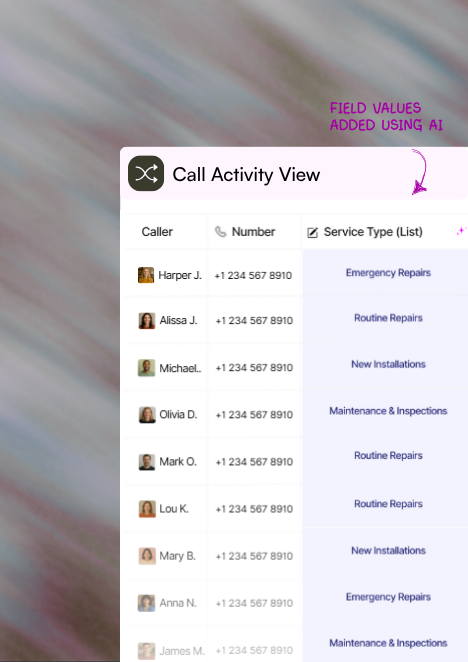
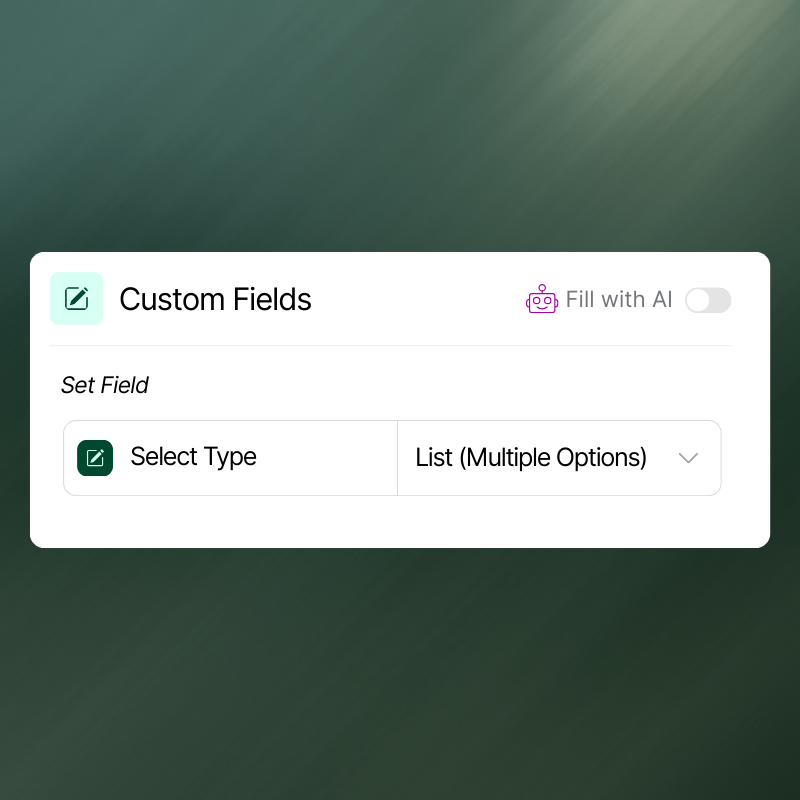
Choose your field type
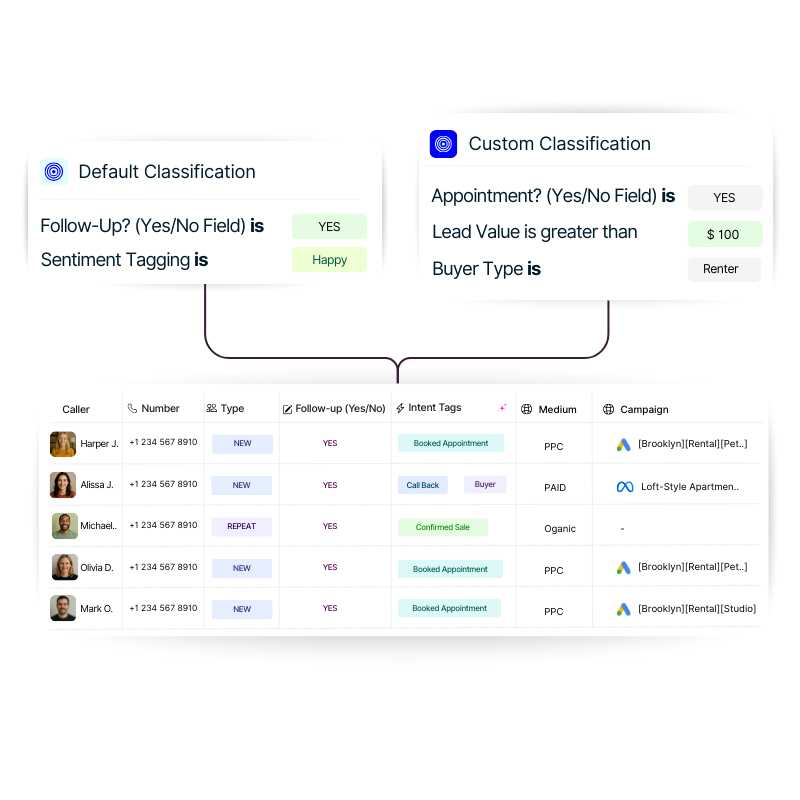
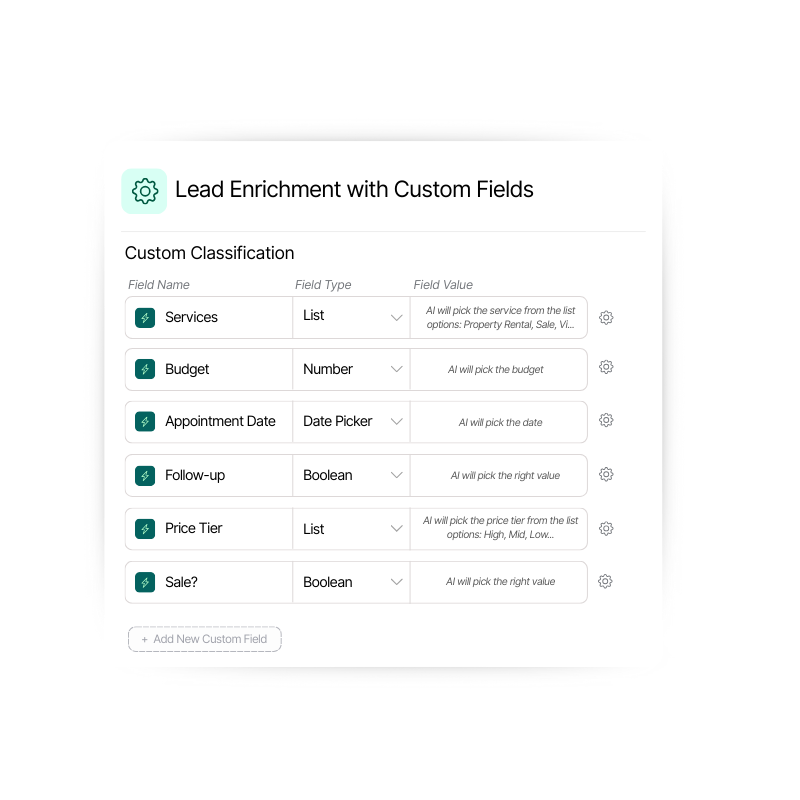
Customize the way you capture data with flexible field types - choose from a “yes/no” field, list, text, number, or date picker.
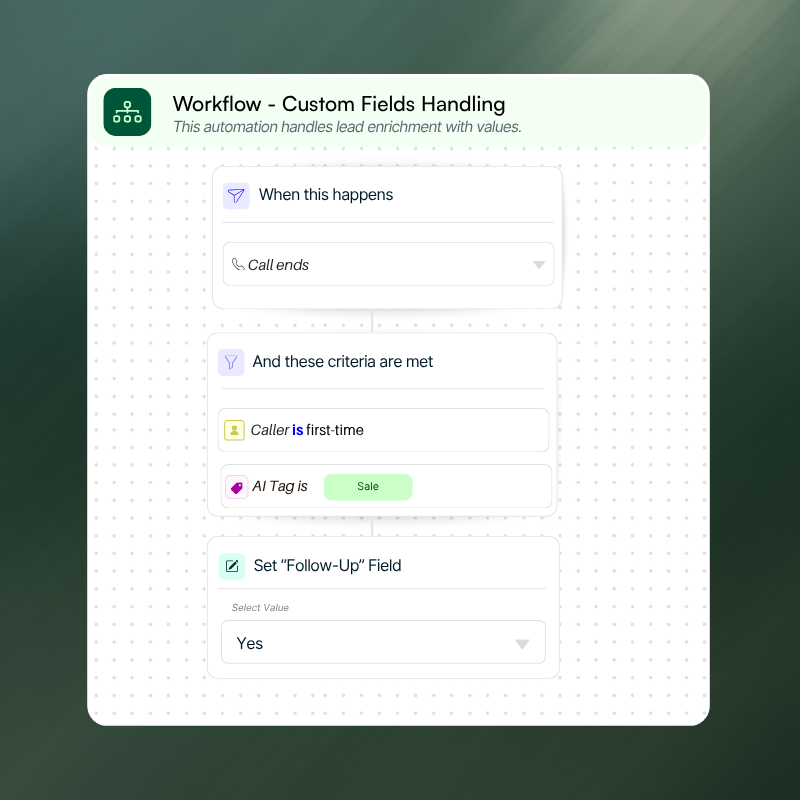
Automation made flexible
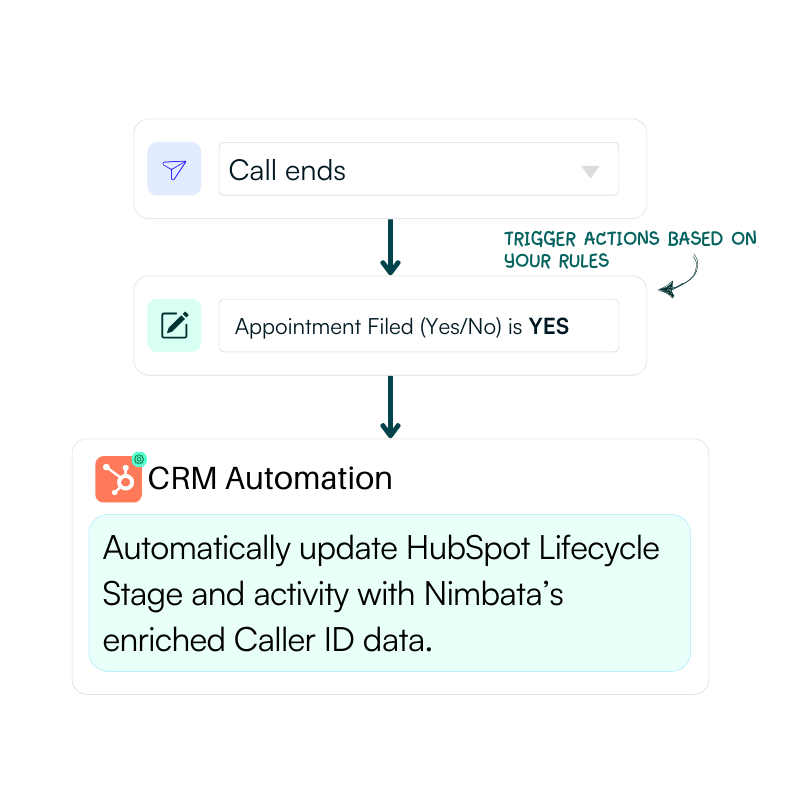
Use your custom fields for labeling, classification, or even as triggers in workflows - and automate your processes effortlessly.
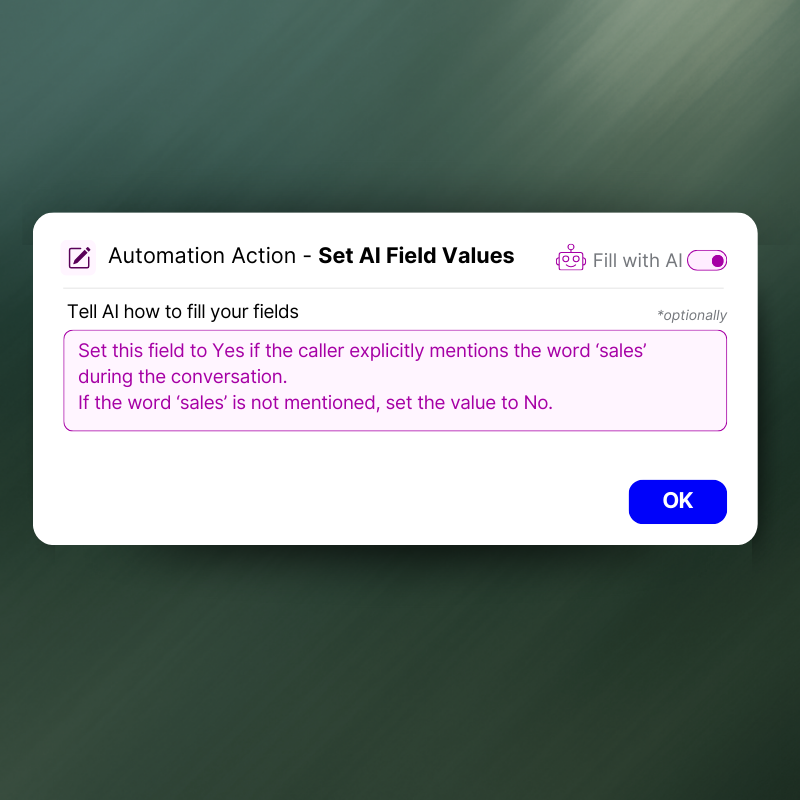
Let AI understand the context
Describe what your custom field does to Nimbata’s AI and let it choose the right value every time.
Segment leads your way with custom fields
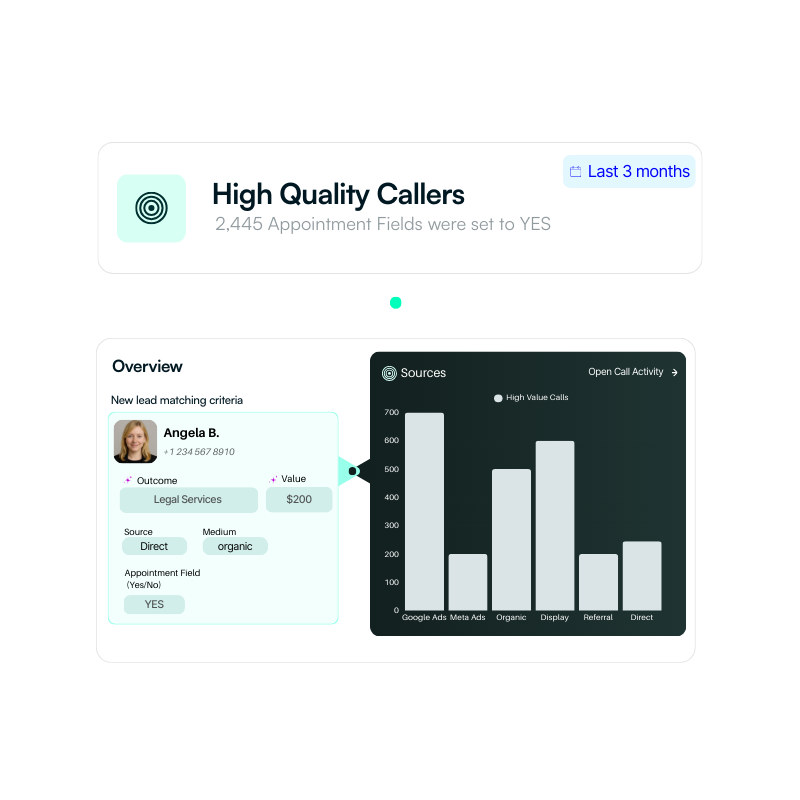
Quick scan of leads that meet certain criteria - custom fields separate high-value prospects from the rest.
Precise attribution, smarter spend
Achieve more accurate attribution by capturing the details that matter most. Tag calls with campaign, keyword, or channel data to uncover exactly which marketing efforts generate the most valuable leads.
Flexible at every stage
As your business grows, custom fields adapt - giving you the flexibility to track new metrics, categories, or KPIs without changing your core process.
Send structured data into your CRM seamlessly
Enrich call data with the details you choose and send it straight into your CRM without extra effort.
CAPABILITIES FOR FAST MOVING TEAMS
Adaptable
Define fields in multiple formats - from dropdowns and checkboxes to numbers, text, or dates.
Insightful
Use custom fields to enrich call data with details that make reporting sharper and decisions smarter.
Modifiable
Capture unique details about leads, deals, or campaigns to tailor follow-ups and segment more effectively.
Transferable
Duplicate proven custom field structures to save time and ensure consistency everywhere.
Filterable
Break down your leads using custom fields and quickly surface trends, strengths, and blind spots.
Actionable
Transform field values into actions - like sending leads to your CRM, updating ad platforms, or alerting your team.
Custom fields don’t just live in Nimbata..
Push values into CRMs, ad platforms, or team
apps and watch processes run automatically
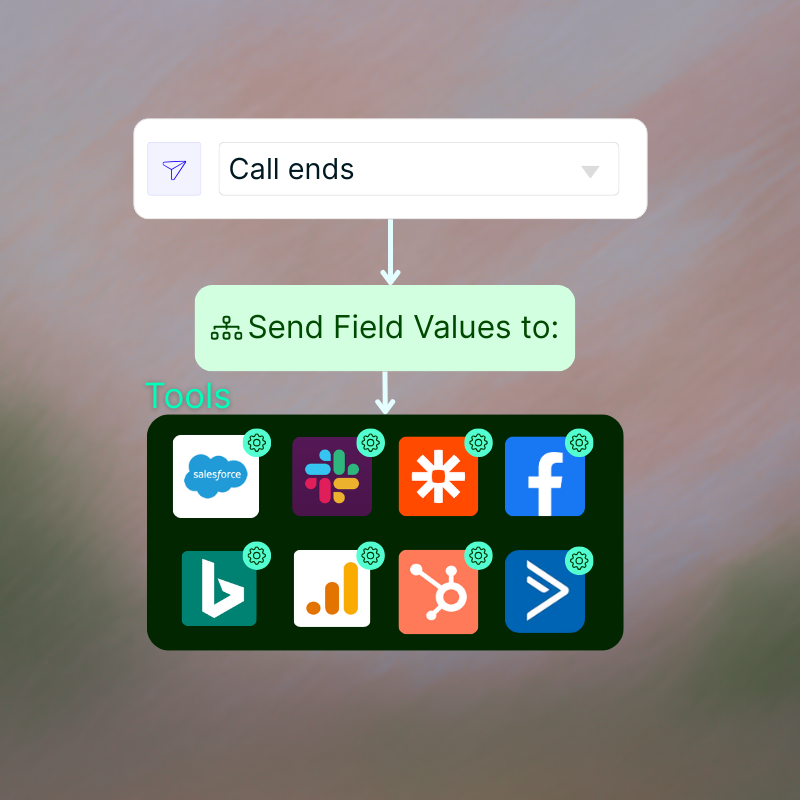
Integrate custom fields in real time
Sync enriched call data from custom fields directly into HubSpot, Salesforce, Google Ads, Slack, Google Sheets, and more - no extra steps required.
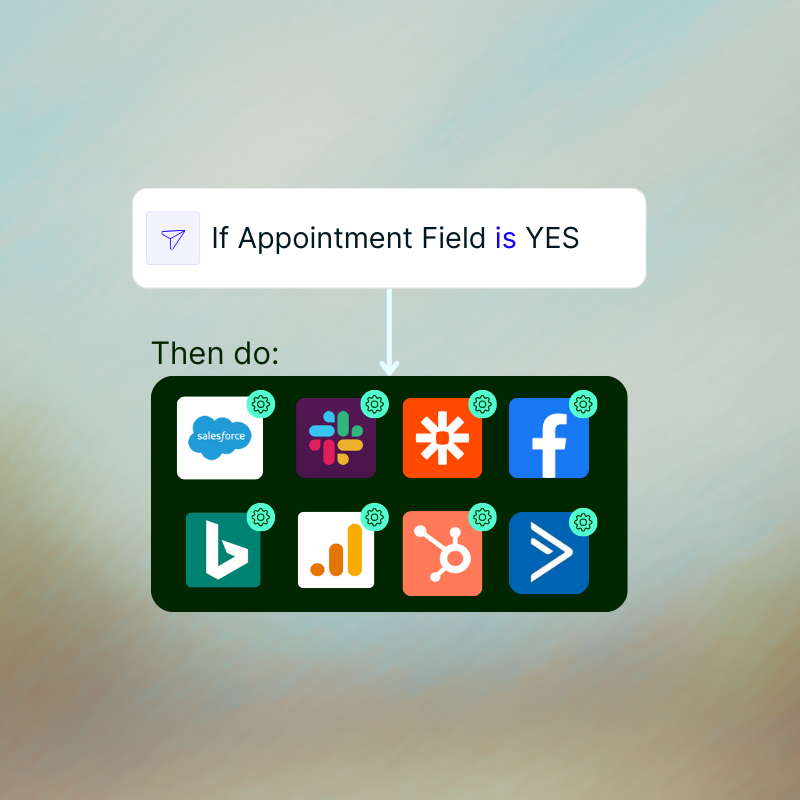
Trigger workflows with custom fields
Set automations based on custom field values. Whether it’s “Lead Quality: Hot” or “Campaign: Branded,” workflows can update your CRM, fire off alerts, or push conversions to Google Ads automatically.
Here's a little FAQ
A custom field is a user-defined property you add to call records to capture extra details (like dropdown, checkboxes, text, numbers, or dates) that help you organize, classify, and automate your data.
Yes, you can use AI to automatically push values into your custom fields. All you need to do is provide AI with a short description of what each field is meant to capture (e.g., “Lead quality: High, Medium, Low”). From there, AI analyzes your calls and fills the fields with the right values, saving you time and ensuring accuracy.
Yes. You can use custom fields as triggers in your workflows. Once you define a field (e.g., Lead Quality: High), you can set automation rules so that when that value is assigned, it kicks off actions - like creating a CRM contact, sending a Slack alert, or logging a Google Ads conversion - all automatically.
Custom fields let you capture the exact data your business needs - beyond default fields. They give you flexibility to organize, classify, and automate call data in ways that match your processes, making insights more accurate and workflows more efficient.

Book your 30-minute personalized demo
with the team!
We’ll actually show you the product and how it can work for you – not a slide deck!
Combine Nimbata call tracking features to create the solution
that matches how your team operates.

Tracking Numbers
Create tracking numbers for any channel or location

Call Flow Builder
Handle every call smarter - with automated call flows

Call Recordings
Capture every customer conversation automatically