
INTEGRATIONS / Slack

Instantly notify your team with every call lead and insight – exactly where collaboration happens.
Automatically push call alerts to the right Slack channels, with full control over what data you share, when it fires, and how it scales across every project.
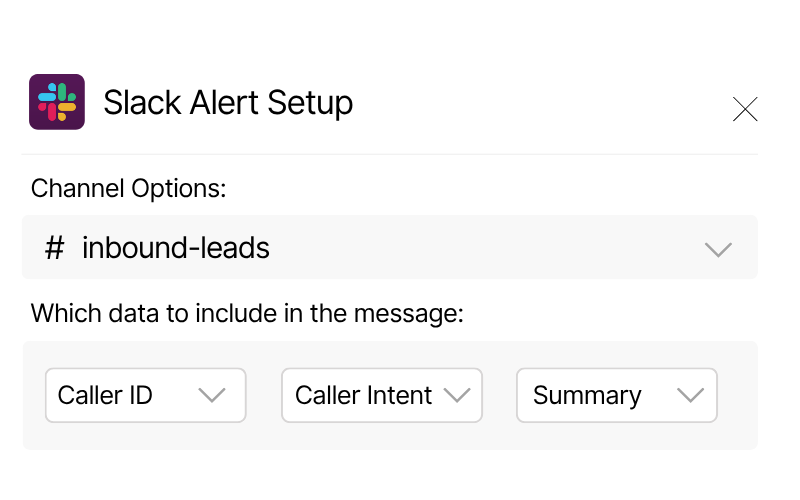
Tailor each Slack alert to show exactly the data you need, from caller details to AI insights. Full control over content, structure, and delivery.

Control exactly when to fire the integration based on caller type, duration, tags, or AI classification.
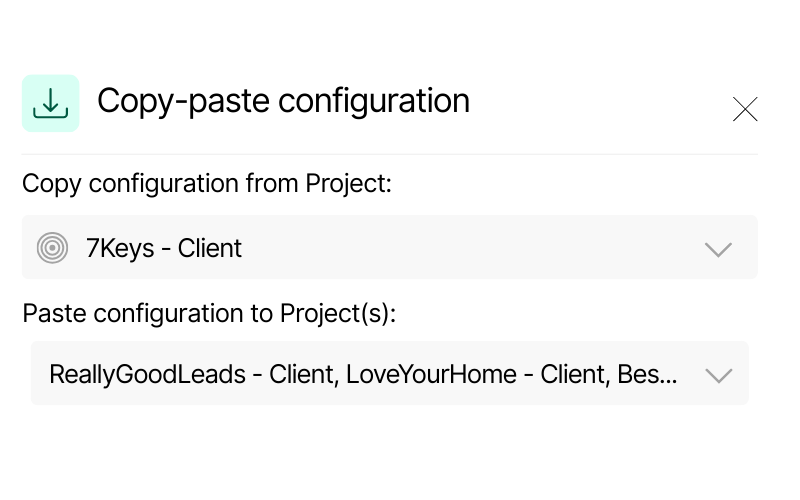
Duplicate Slack sync settings across multiple projects in seconds — no manual setup needed.
(that keep you on track without leaving the app)

Automatically route call notifications to specific Slack channels based on value, intent, or tags, so all your different teams only get the calls that matter to them.
Act faster on revenue opportunities and drive better outcomes

Add marketing attribution data right into your Slack call alerts.
Know which campaign, channel, or keyword drove the call — without leaving Slack.
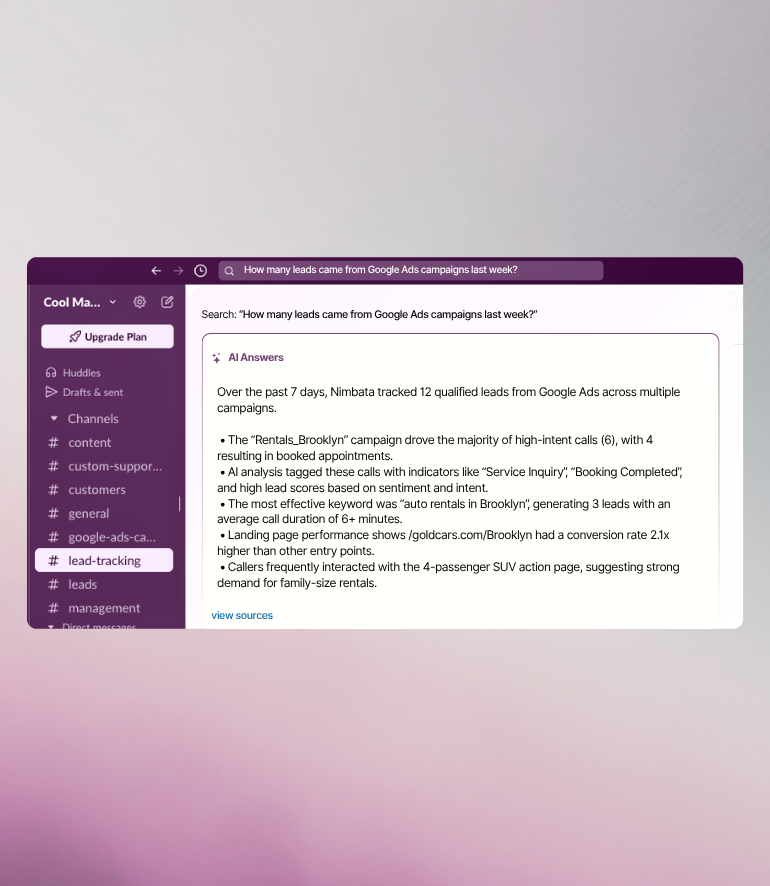
Nimbata’s AI automatically tags, scores and assigns dollar values to calls based on conversation content.
Deliver those insights right into Slack so your team sees what drives success, day after day.
Slack meets real-time call intelligence
HOW IT WORKS
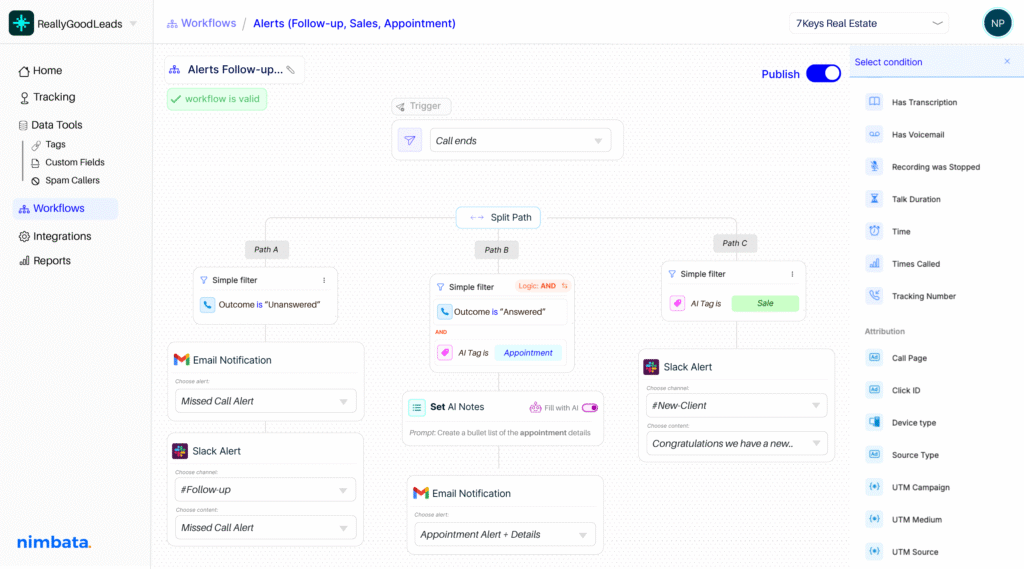
Smart workflow filters determine exactly which calls get sent based on 30+ real-time conditions from source, duration, and caller type to AI-detected outcomes.
Let AI summarize the conversation, take notes, detect buying intent, and automatically assign lead value and tags — so your team can instantly see what happened, what it's worth, and what to do next.
Define exactly what Nimbata will send to Slack after a call – from high-intent leads for Sales, to missed calls for Support. Fully customizable to match your team structure and channel workflows.

Track call conversions and ROI

Tie calls and revenue to campaigns, ads, keywords.

Automate repetitive tasks and send call data to your favorite tools.
Send call events anywhere in real time.

Create or update contacts when you receive a call.

Get every caller in Google Sheets and every update as a new row.