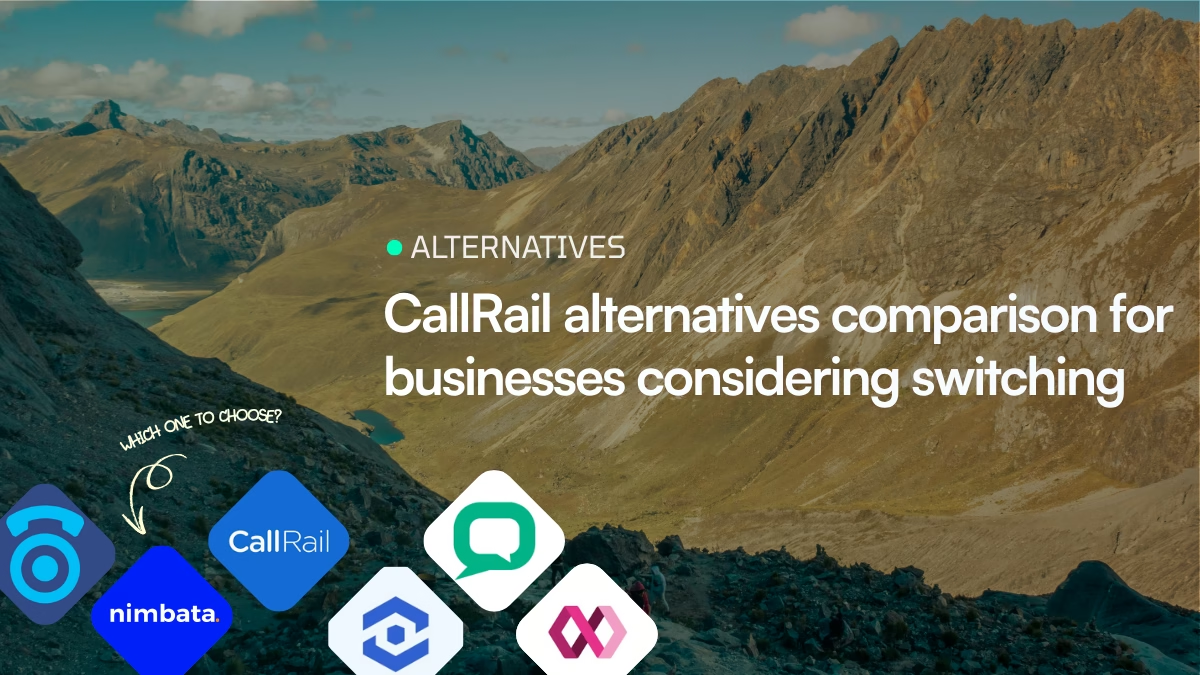
The best CallRail alternative depends on why you want to switch. Choose Nimbata for focused call tracking and attribution, WhatConverts for calls + forms + chat and lead-level attribution, CallTrackingMetrics for advanced call routing and communications, Invoca for enterprise revenue attribution, or Aircall if you need a business phone system rather than a marketing call tracker.
CallRail is one of the better-known platforms for call tracking, marketing attribution, call recording, and conversation intelligence. But it isn’t the best fit for every business.
The right CallRail alternative depends on why you are considering switching. A small business that only needs basic call tracking has very different requirements from a marketing agency managing dozens of clients, where proving ROI to each one matters, a pay-per-call network routing high-value calls, or an enterprise connecting phone conversions to revenue.
In this guide, we compare the strongest CallRail alternatives available in 2026, including Nimbata, CallTrackingMetrics, WhatConverts, Invoca and Aircall.
CallRail alternatives at a glance
| Platform | Best for | Starting price | Main strength |
| CallRail | SMB marketing teams | $45/mo | Simple call tracking + marketing attribution |
| Nimbata | Marketers & agencies | $39/mo + usage | Answered-call pricing + call intelligence |
| CallTrackingMetrics | Advanced marketers & larger teams | $79/mo monthly / $65 annual | Call tracking, communications & analytics |
| WhatConverts | Agencies & lead-focused marketers | $30/mo | Calls + forms + chat + lead attribution |
| Invoca | Enterprise & revenue teams | Custom | Enterprise call attribution & revenue intelligence |
| Aircall | Sales & support teams | $30/user/mo annually | Business phone + CRM workflows |
Prices are the publicly advertised starting prices or pricing models found on the vendors’ official sites at the time of review. Usage, numbers, add-ons, billing terms, minimum seats, taxes and country-specific rates can change the actual cost. Where a vendor does not publish a starting price, this comparison says custom rather than estimating one.
Why are businesses looking for CallRail alternatives?
CallRail is not inherently a bad choice. In fact, for many businesses, staying with CallRail is the sensible decision.
The more useful question is:
What problem are you trying to solve that CallRail isn’t solving well enough?
Common reasons businesses review CallRail and investigate alternatives include:
Best for: Small & Medium Businesses, Agencies, In-House Marketers & Business Owners.
Prices starting at: $39/month
1. Pricing doesn’t match call volume
CallRail’s current public pricing starts at $45/month, with higher plans at $150 and $195/month plus additional usage. The platform offers a 14-day trial.
That can be perfectly reasonable for a business with predictable call volume. But companies with unusual call patterns, long calls, many tracking numbers, or high call volume may prefer a different usage model.
2. You need more than call tracking
Some companies don’t just want to know that a call happened. They want to connect:
ad → website visit → phone call → qualified lead → sale → revenue.
Platforms such as WhatConverts and Invoca put more emphasis on lead or revenue attribution, while Nimbata and CallTrackingMetrics provide deeper call analytics and workflows.
3. You need a phone system
Call tracking and business telephony are related, but they are not the same thing.
If you need:
- IVR
- queues
- extensions
- softphones
- outbound dialing
- agent monitoring
- call-center workflows
- international calling
then a platform such as Aircall may be a better category fit.
4. You’re an enterprise marketer
At enterprise scale, the question isn’t necessarily “how many calls did we receive?”
It may be:
Which advertising investment generated $X in revenue through the contact center?
Invoca is positioned specifically around connecting inbound calls to marketing, conversions and revenue, with enterprise plans and custom pricing.
Why you might NOT want to switch from CallRail
Before replacing CallRail, consider whether switching actually solves a meaningful problem.
Stay with CallRail if:
- your current tracking works reliably;
- your integrations already meet your needs;
- your monthly cost is acceptable;
- you don’t need sophisticated contact-center functionality;
- you don’t need an enterprise revenue-attribution platform;
- your team is comfortable with the existing workflow;
- migrating numbers, tracking code and historical data would create more disruption than value.
CallRail continues to invest in its platform. Its current product includes call tracking, lead conversion features, conversation intelligence and form tracking, and it recently expanded its HubSpot capabilities.
Best CallRail alternatives
1. Nimbata
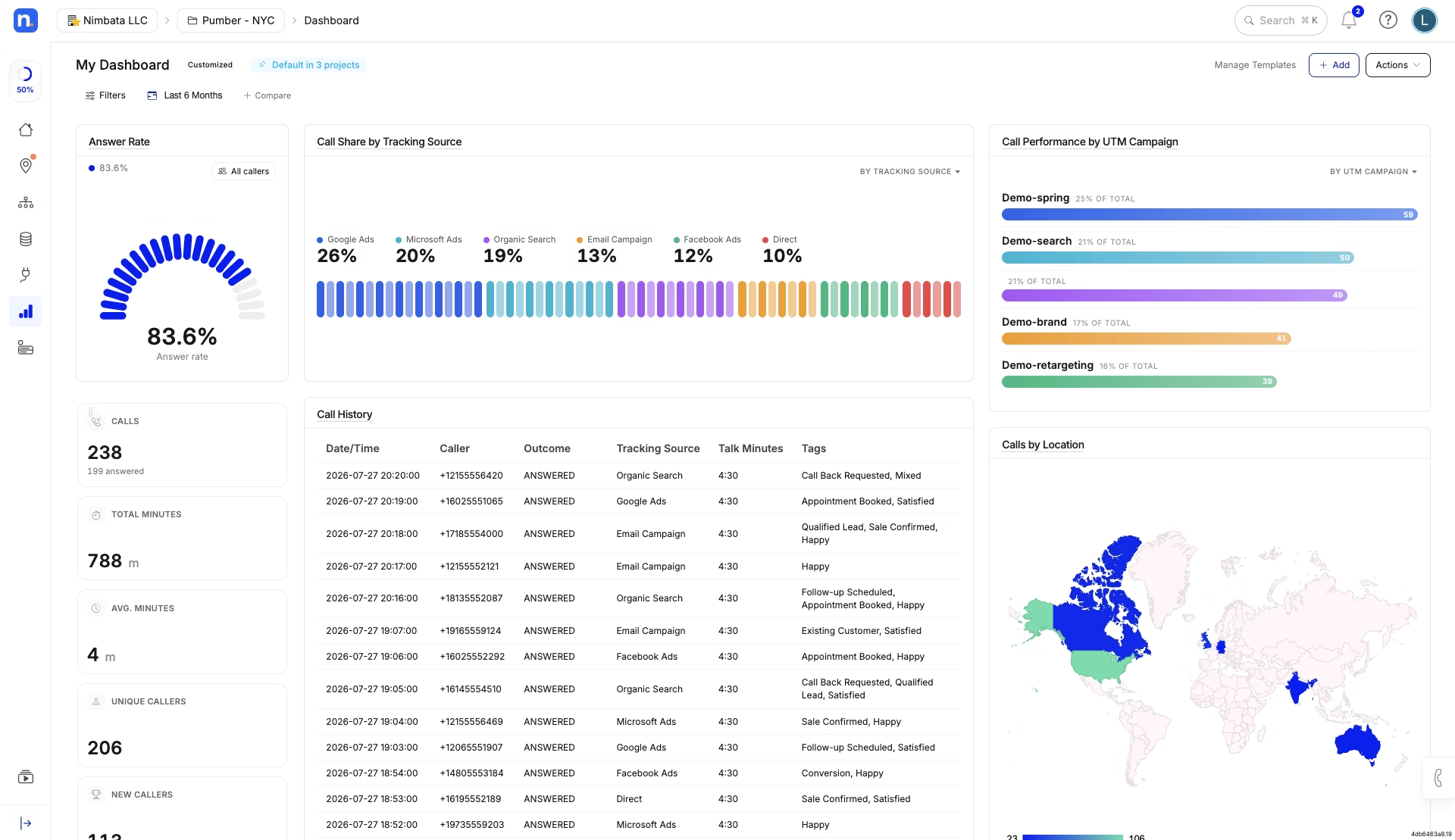
Nimbata is primarily a call tracking, attribution and conversation intelligence platform.
Its biggest pricing distinction is that its usage model is based on answered calls rather than conventional per-minute billing. Its public pricing currently lists:
- Pro: $39/month + usage
- Marketing: $89/month + usage
- Agency: $149/month + usage
Annual billing is discounted, with the displayed annual prices of $35, $80 and $120/month respectively on the current pricing page.
Nimbata’s US usage rates vary by plan. For example, the current help documentation lists local numbers at $1.60/month and $0.03 per answered call on Agency, compared with $3.20/month and $0.06 per answered call on Pro.
Nimbata vs. CallRail: Which is the better fit?
Nimbata and CallRail both cover core marketing call-tracking needs, but they differ in pricing structure, how usage is billed, lead and form tracking, and how their plans scale. The better choice depends less on the number of features and more on how your business generates and measures leads.
| What you need | Nimbata | CallRail |
|---|---|---|
| Core call tracking | Dynamic number insertion, campaign/source tracking, call recording and attribution | Dynamic number insertion, call tracking, recording and attribution |
| Pricing model | Subscription + usage, with usage primarily based on answered calls and tracking numbers | Subscription + included usage, with additional charges as usage/features increase |
| Starting plan | Pro: $39/mo + usage | Call Tracking: $45/mo |
| AI call analysis | AI-powered call tagging, classification and analysis | Conversation Intelligence available on qualifying plans |
| Form/lead tracking | Available on higher plans | Available through Lead Conversion plans |
| Google Ads & GA4 | Available | Available |
| CRM integrations | Available, with broader integrations on higher tiers | Available, including major CRM integrations |
| Agency management | Agency plan with multi-account capabilities, unlimited seats/workflows and advanced integrations | Agency-focused functionality and account management available |
| Salesforce / API / webhooks | Available on higher-tier plans | Available depending on plan/integration |
Which Nimbata plan?
Pro makes the most sense for a smaller business that mainly needs campaign attribution, DNI, AI tagging and Google Ads/GA4 integrations.
Marketing is the better fit when you also need form tracking, automations and CRM integrations.
Agency is designed for agencies and organizations managing multiple clients or locations, with unlimited seats/workflows, often with white-label reporting and capabilities such as Salesforce, API and webhooks.
2. CallTrackingMetrics
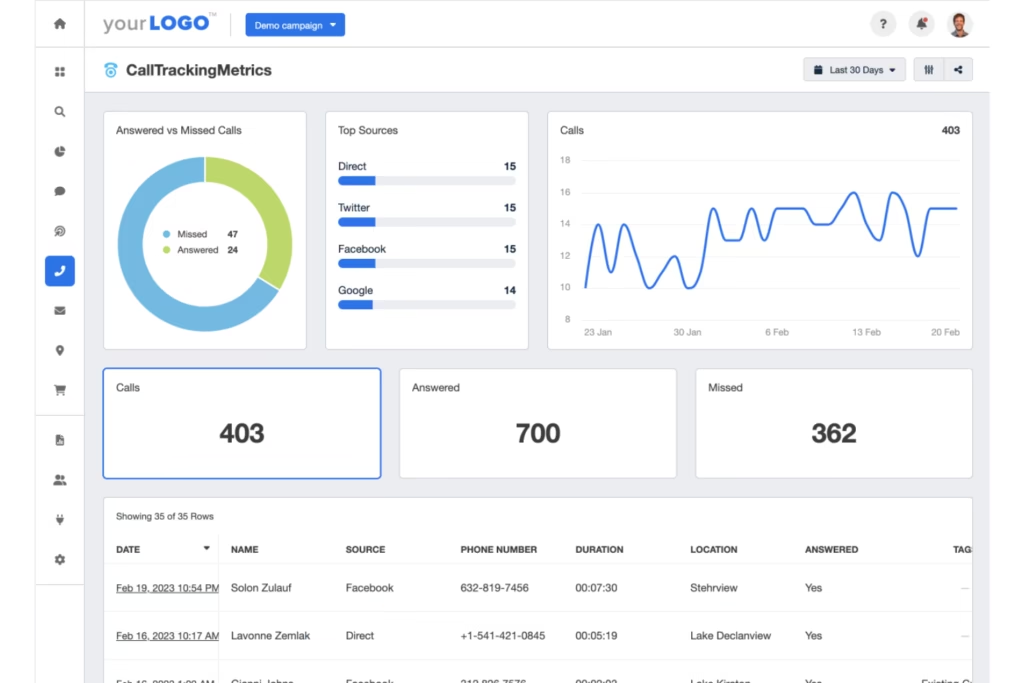
CallTCallTrackingMetrics (CTM) sits between a traditional marketing call tracker and a broader communications platform. Its current product covers calls, texts, forms and chats, alongside routing, analytics and AI-powered insights.
Its current public pricing lists:
- $79/month billed monthly
- $65/month with annual prepayment
- $179/$149 for the next tier
- $329/$274 for Sales Engage
- $1,999/month for Enterprise
Local numbers are listed at $2/month, with usage charges applying separately.
Nimbata vs. CTM: Which is the better fit?
| What do you need? | CallTrackingMetrics | CallRail |
|---|---|---|
| Track marketing calls | Call tracking, attribution and recording | Call tracking, attribution and recording |
| Track more than phone calls | Calls, texts, forms and chats | Calls plus broader lead-conversion functionality |
| Build advanced call-routing workflows | Advanced routing and call-handling capabilities | Strong tracking-oriented call workflows |
| Combine marketing attribution with communications | Designed to combine tracking with broader communications workflows | More focused on marketing attribution |
| Keep the setup relatively simple | More configurable and potentially more complex | More straightforward for basic tracking |
| Scale to complex communications requirements | Higher tiers and Enterprise capabilities | Better suited to marketing-focused requirements |
| Need advanced analytics and reporting | Strong analytics and communications reporting | Strong marketing reporting |
| Need a marketing-first call tracker | Can be more platform than necessary | Core strength |
| Start with a public monthly price | $79/mo for the entry tier | $45/mo for Call Tracking |
Which plan?
The entry tier is appropriate when your priority is core tracking.
Move into higher tiers when you need more advanced communications, automation and analytics.
Enterprise makes sense only when the additional controls, scale and support justify a substantially higher platform commitment.
3. WhatConverts
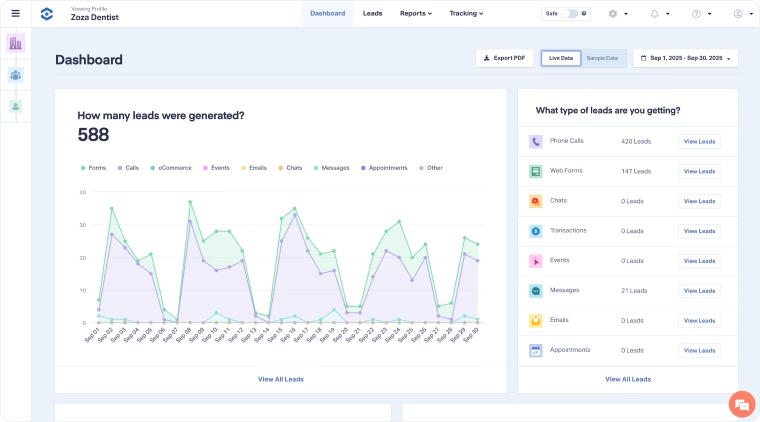
WhatConverts takes a slightly different approach from pure call-tracking platforms.
It tracks:
- phone calls
- forms
- chats
- e-commerce conversions
- lead value
- marketing sources
- campaign and keyword data
Its current individual-business pricing is:
- Call Tracking: $30/month
- Plus: $60/month
- Pro: $100/month
- Elite: $160/month
Agency pricing currently starts at $500/month for Plus, followed by $800/month for Pro and $1,250/month for Elite, with unlimited accounts.
WhatConverts vs. CallRail: Which fits your needs better?
| What do you need? | WhatConverts | CallRail |
|---|---|---|
| Track phone calls from marketing campaigns | Call tracking and source attribution | Call tracking and source attribution |
| Track calls, forms and chats together | Lead-level tracking across calls, forms and chats | Strong call and lead-conversion tracking |
| Know which marketing activity generated a lead | Built around lead attribution | Strong marketing attribution |
| Track lead value | Lead value and conversion reporting | Lead conversion functionality |
| Track customer journeys | Higher-tier customer-journey and multi-click attribution | Marketing attribution capabilities |
| Start at a low public price | Call Tracking starts at $30/mo | Call Tracking starts at $45/mo |
| Run an agency with many accounts | Dedicated Agency plans and multi-account functionality | Agency capabilities available |
Which plan?
Call Tracking is appropriate if you mainly need call and text tracking.
Plus becomes more compelling when forms, chat, campaign and keyword reporting matter.
Pro is the better fit when you need call flows, custom reporting, scheduled reports or HIPAA-compliant tracking.
Elite is for organizations that need customer-journey and multi-click attribution.
For agencies, the unlimited-account plans are the relevant comparison rather than the $30–$160 business plans.
4. Invoca
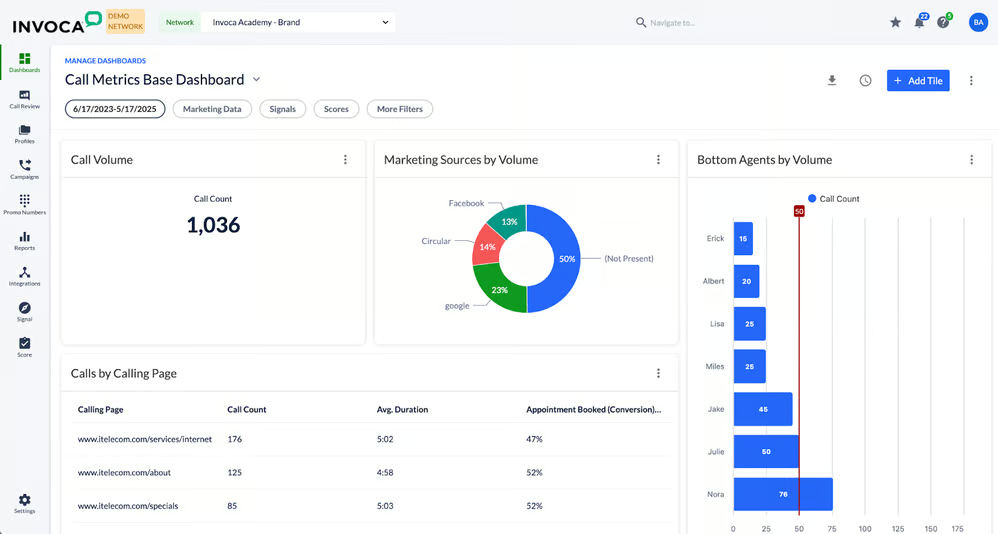
Invoca is aimed at a different market from the typical SMB CallRail user.
Its platform connects inbound calls with marketing data, conversions and revenue. Its current public pricing page lists Pro, Enterprise and Elite plans but uses custom quotes rather than public monthly prices.
The platform includes capabilities such as:
- dynamic number insertion
- call recording
- IVR
- offline conversion and revenue imports
- Google Ads, GA4, Microsoft Ads, Meta, HubSpot and Slack integrations
- APIs and webhooks
- real-time alerts
- enterprise integrations
Higher tiers add features such as AI-powered quality management, Salesforce and Adobe integrations, intelligent routing and SIP integration.
Invoca vs. CallRail: Which fits your needs better?
| What do you need? | Invoca | CallRail |
|---|---|---|
| Track marketing calls | Enterprise call attribution and campaign tracking | Marketing call tracking and attribution |
| Connect calls to revenue | Strong focus on revenue attribution | Lead-conversion focused |
| Connect marketing and contact-center data | Core enterprise use case | More marketing-oriented |
| Analyze conversations with AI | Advanced conversation intelligence and quality-management capabilities | Conversation Intelligence |
| Use enterprise CRM/marketing integrations | Strong enterprise integration ecosystem | Broad integrations |
| Get transparent public pricing | Custom quote | Public pricing |
| Deploy without a large implementation | More enterprise-oriented | Easier for SMB/mid-market use cases |
| Attribute revenue from phone conversions | Core strength | More limited |
5. Aircall
Aircall is an important alternative to consider, but it isn’t a direct substitute for every CallRail use case.
Its current pricing starts at:
- Essentials: $30/user/month, billed annually
- Professional: $50/user/month, billed annually
- Custom: contact sales
Both Essentials and Professional have a three-license minimum. Professional adds capabilities such as Salesforce CTI, advanced analytics, live monitoring, smart routing, callbacks and power dialing.
When should you choose Aircall?
Choose Aircall if your problem is actually:
“We need a better bvusiness phone system.”
It’s particularly relevant for:
- sales teams
- support teams
- distributed teams
- CRM-connected calling
- call queues
- outbound sales
- agent productivity
Aircall currently also offers AI-powered capabilities such as transcription, sentiment analysis, coaching and AI voice agents.
Aircall vs. CallRail: Which fits your needs better?
| What do you need? | Aircall | CallRail |
|---|---|---|
| Track where marketing calls came from | Possible through integrations, but not its primary purpose | Core functionality |
| Give sales reps a business phone system | Core functionality | Not its primary purpose |
| Manage call queues and teams | Strong | More limited |
| Route calls between agents/departments | Strong | Stronger focus on tracking workflows |
| Outbound sales calling | Strong | Not a primary use case |
| Power dialing | Professional plan capability | Not a primary use case |
| Agent monitoring and coaching | Strong | More marketing-focused |
| Connect calling directly to CRM workflows | Strong | Strong integrations |
| Marketing attribution | Not the primary product focus | Core product focus |
CallRail vs. its alternatives: which platform is best for each use case?
The best CallRail alternative depends less on the number of features a platform offers and more on what you need those features to accomplish. CallRail is primarily marketing- and attribution-focused, while CTM emphasizes configurable communications workflows, WhatConverts focuses on lead-level attribution, Invoca targets enterprise revenue intelligence, Nimbata emphasizes call tracking and attribution, and Aircall is primarily a business phone and contact-center platform.
Use the table below to compare the platforms by your priority.
| If your top priority is… | Best fit |
|---|---|
| Marketing call tracking and attribution | CallRail |
| Advanced call routing and communications workflows | CTM |
| Calls + forms + chats + lead management | WhatConverts |
| Enterprise revenue attribution and conversation intelligence | Invoca |
| Focused call tracking and attribution | Nimbata |
| Business phone system for sales/support | Aircall |
| Marketing attribution with a broad integration ecosystem | CallRail |
| Highly configurable sales/call-center workflows | CTM or Aircall |
| Lead-centric reporting across multiple channels | WhatConverts |
| Enterprise-scale phone conversion analytics | Invoca |
Compare integrations across CallRail alternatives
Integrations can be one of the biggest differences between call-tracking platforms. But a long integrations list does not necessarily mean every integration is available on every plan. The more useful question is which integrations you need and whether they are included at the tier you are considering.
How integrations differ by plan
| Platform | Entry / lower tier | Mid-tier | Higher / enterprise tier |
|---|---|---|---|
| CallRail | Core marketing and lead-tracking integrations | More advanced attribution and conversation capabilities | Advanced lead management, AI and enterprise workflows |
| CTM | Core marketing and call-tracking integrations | More advanced communications, routing and CRM workflows | Advanced communications, analytics, automation and enterprise capabilities |
| WhatConverts | Call tracking and core lead attribution | Forms, chat, campaign/keyword reporting and Google/Bing/Analytics integrations | Call flows, custom reporting, scheduled reports, HIPAA and advanced attribution |
| Invoca | Enterprise/custom packaging rather than a simple self-serve entry tier | Broader marketing, CRM and revenue integrations | Advanced AI, CRM, routing, data and enterprise integrations |
| Nimbata | Core tracking and marketing integrations | More advanced attribution, reporting and integrations | Agency/advanced workflows and broader integration requirements |
| Aircall | Core CRM, help-desk and business-app integrations | Advanced CRM functionality, including Salesforce CTI | Custom/enterprise requirements and expanded communications workflows |
CallRail pricing vs. alternatives
Pricing comparisons can be misleading because these platforms don’t all charge for the same thing.
Some charge:
- per month
- per user
- per account
- per tracking number
- per minute
- per answered call
- per usage
- or through custom enterprise contracts
CallRail’s current public pricing starts at $45/month, while its Lead Conversion and Lead Conversion Complete plans are currently listed at $150/month and $195/month plus additional usage.
Nimbata’s public US pricing uses subscription tiers plus usage, with usage based primarily on numbers and answered calls.
CallTrackingMetrics starts at $79/month on monthly billing or $65/month with annual prepayment, plus usage.
WhatConverts starts at $30/month for individual businesses and $500/month for its agency Plus plan.
Aircall starts at $30/user/month annually, while CloudTalk starts at €19/user/month annually.
Invoca use sales-led/custom pricing, so publishing a guessed “starting price” would give a false sense of precision.
What should you consider
Don’t compare “$39 vs $55” and assume the cheaper platform is cheaper.
Instead, calculate your actual expected monthly cost using:
subscription + tracking numbers + call usage + transcription/AI + SMS + required add-ons + seats + implementation
For a meaningful comparison, use the same call volume and number requirements for every vendor.
How to decide whether switching will actually save money
Before changing platforms, calculate your current monthly cost.
For example:
Your current CallRail setup
- Base subscription
- Tracking numbers
- Included minutes
- Additional minutes
- Conversation intelligence
- Form tracking
- Additional users
- Other add-ons
Then model the same workload on each alternative.
Don’t compare the advertised starting prices alone.
A platform with a $30 entry price can be more expensive than a $55 platform once you add the features and usage you actually need.
Final thoughts
CallRail is still a strong option when you want established call tracking and marketing attribution without building a communications stack from scratch.
But it isn’t the universal best choice.
If your biggest issue is pricing and call-intelligence economics, compare Nimbata.
If you need lead attribution across calls, forms and chat, look at WhatConverts.
If you need more sophisticated call workflows, evaluate CallTrackingMetrics.
If phone leads represent substantial enterprise revenue, Invoca deserves consideration.
And if what you really need is a business phone/contact-center system, compare Aircall and CloudTalk rather than limiting your search to call-tracking products.
The best replacement is therefore not necessarily the cheapest CallRail alternative. It’s the platform whose pricing model, capabilities and complexity match the way your business generates and handles phone leads.
There is no single best alternative for every business. Nimbata is a strong option for marketing teams prioritizing call attribution and answered-call pricing, WhatConverts is strong for multi-channel lead attribution, CallTrackingMetrics for advanced call workflows and Invoca for enterprise revenue attribution.
WhatConverts currently has a public individual-business plan starting at $30/month, while Nimbata has a $39/month Pro plan plus usage. However, the cheapest advertised starting price isn’t necessarily the cheapest option for your actual call volume and required features.
WhatConverts, Nimbata and CallTrackingMetrics are all worth evaluating. WhatConverts is particularly strong for agencies that need to report on calls, forms and chat; Nimbata emphasizes call attribution and agency account management; CTM is a better fit when more advanced communications workflows are required.
CallRail’s current public pricing starts at $45/month. Its Lead Conversion plan is $150/month and Lead Conversion Complete is $195/month, with additional usage charges. CallRail also offers a 14-day free trial.
Only if you have a specific reason. Compare the total cost of ownership, required features, integrations, number portability, historical data and migration effort. If CallRail already solves your problem at an acceptable cost, switching may create unnecessary risk without enough upside.
For a small business primarily interested in marketing call tracking and attribution, Nimbata, CallRail, and WhatConverts are worth comparing. The best choice depends on whether you care most about call attribution, lead tracking across multiple channels, or keeping the platform simple.
The technical setup is usually manageable, but migration involves more than creating an account. You may need to replace tracking numbers, update website scripts, recreate routing rules, reconnect advertising and CRM integrations, configure call recordings and rebuild reports. A migration checklist can reduce the risk of losing attribution data.
It can if tracking numbers, conversion actions, integrations or attribution settings are not recreated correctly. Before switching, document your existing Google Ads conversion setup and verify test calls from each important campaign, landing page and tracking number.
It can if tracking numbers, conversion actions, integrations or attribution settings are not recreated correctly. Before switching, document your existing Google Ads conversion setup and verify test calls from each important campaign, landing page and tracking number.
At minimum, compare pricing, included usage, phone-number porting, tracking-number requirements, call recording, conversation intelligence, CRM integrations, advertising integrations, reporting, API access, account management and migration support. Also estimate your actual monthly cost using your expected call volume.