

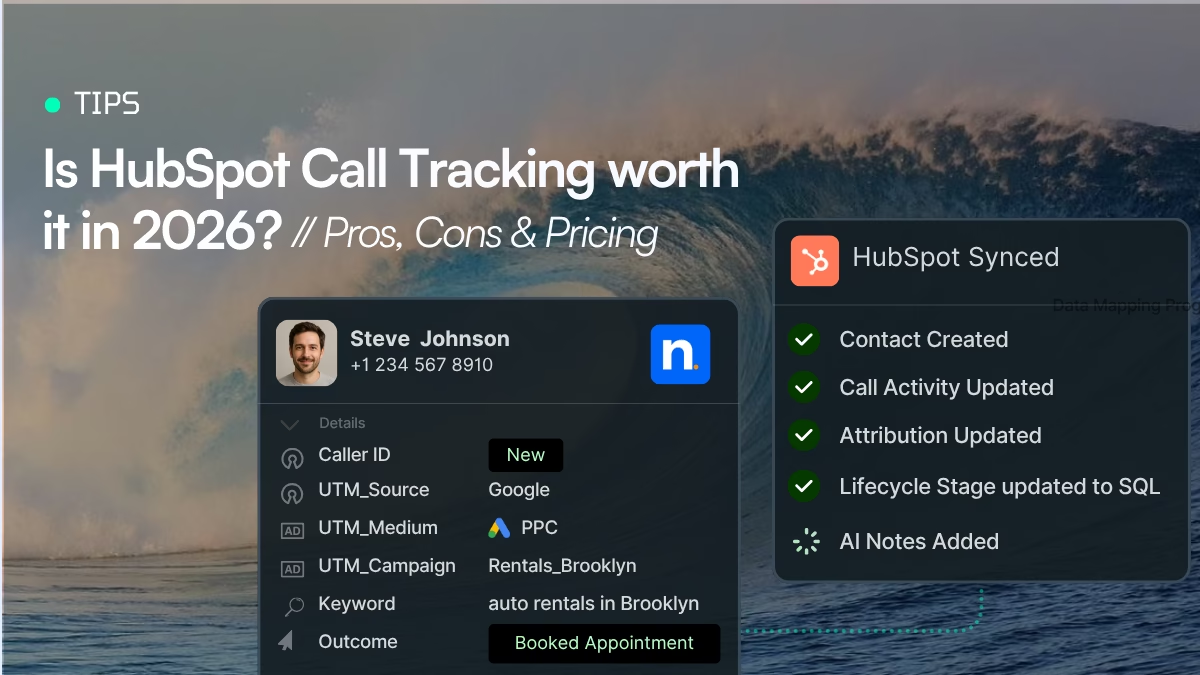
If phone calls are an important source of leads for your business, HubSpot can help you manage those conversations inside your CRM. You can make and receive calls, log call activity, record calls, review transcripts and call insights, and associate calls with CRM records, depending on your HubSpot subscription and calling setup.
But there is an important distinction between HubSpot calling and marketing call tracking.
HubSpot’s native calling features are primarily designed to help sales and service teams manage phone conversations inside the CRM. Dedicated call-tracking software goes further by connecting inbound calls to marketing data such as the campaign, keyword, ad, landing page, UTM parameters, or other source that generated the call.
This guide explains what HubSpot can do natively, where marketing attribution becomes more difficult, and how a call tracking integration can connect call data with your HubSpot CRM.
What is HubSpot call tracking?
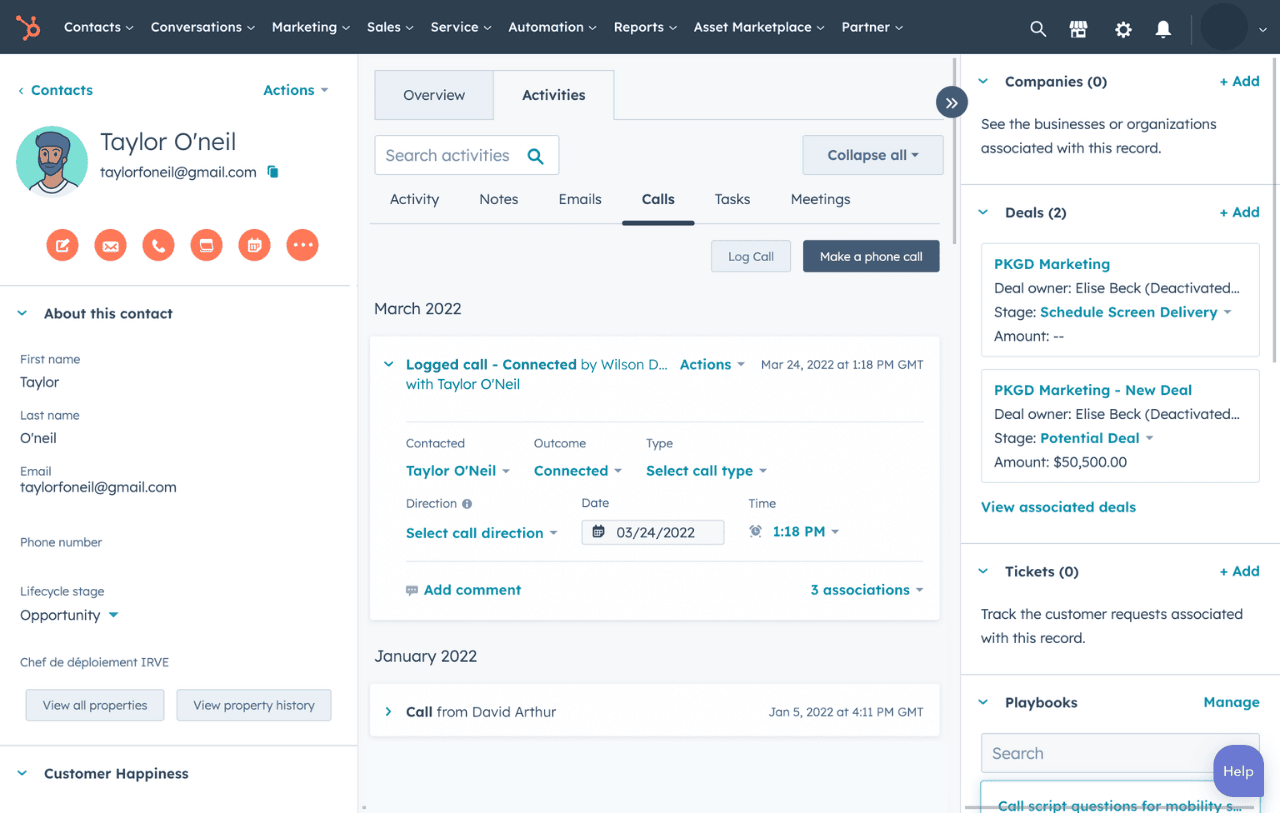
Hubspot Call Tracking is a comprehensive tool that enables businesses to manage their inbound and outbound calls directly from the Hubspot CRM. It is particularly useful for companies that rely heavily on phone calls as a key part of their sales and customer service strategy.
With HubSpot’s calling tools, supported users can make calls from places such as the Contacts index, contact records, the calling remote, or the conversations inbox. HubSpot can also receive inbound calls through supported HubSpot phone numbers and save calls to the call index.
HubSpot also has added conversation AI to its features. It is able to capture call data through the transcripts and provide call outcomes and call notes. Also, depending on your subscription you can use AI-generated call summaries to gain deeper insights about your leads and connect automatically calls and CRM records.
The Call Tracking feature also provides businesses with valuable insights into their sales calls. They can track which sales reps are performing the best and which are underperforming. Additionally, real-time notifications for missed calls enable sales reps to quickly follow up with potential leads and convert them into customers. They can understand the performance of their sales teams and make data-driven decisions to improve their strategies, and tactics.
What can HubSpot do with calls?
HubSpot’s current calling functionality is much broader than simply placing a phone call.
1. Make calls directly from HubSpot
Users can make calls from the Contacts index, a contact record, the calling remote, or the conversations inbox. Depending on the setup, calls can use a HubSpot-provided number, a registered outbound number, or an integrated third-party calling provider.
For a sales team, this means representatives can work from the CRM instead of switching between multiple applications.
2. Receive inbound calls
HubSpot can receive inbound calls in the browser when the required phone number and calling configuration are in place.
When an inbound call arrives, HubSpot can display available caller information and provide access to the relevant contact record. After the call, the activity can be saved to the call index.
3. Record calls
HubSpot supports call recording when recording is enabled and the relevant calling setup supports it.
Recording availability and requirements depend on the HubSpot configuration, and businesses should also consider applicable call-recording laws before recording conversations.
4. Transcribe and analyze calls
For supported Sales Hub and Service Hub Professional and Enterprise subscriptions, HubSpot’s Conversation Intelligence can transcribe and analyze eligible calls.
Teams can review recordings, transcripts, tracked terms, call statistics and AI-generated summaries.
This is particularly useful when managers want to understand what happened during a sales or support conversation without listening to an entire recording.
5. Associate calls with CRM records
HubSpot can associate calls with CRM records such as contacts, companies, deals and tickets. Its automatic-association functionality can use HubSpot AI to identify relevant records.
This creates useful CRM context around the conversation.
HubSpot Call Tracking Pricing
Calling feature is part of HubSpot’s broader Sales Hub and Service Hub offering, so the cost depends on the HubSpot subscription you’re using. Here is a breakdown of its pricing for every plan in Sales Hub:
| Sales Hub plan | Starting price | Calling included |
|---|---|---|
| Free | $0 | – |
| Starter | $7/seat/month annually | 500 minutes |
| Professional | $90/seat/month annually | 3,000 minutes |
| Enterprise | $150/seat/month annually | 12,000 minutes |
These prices are collected from HubSpot’s pricing page in September 2026. The page also lists additional costs for onboarding on Professional and Enterprise plans.
HubSpot also lists a $50/month calling-minute limit increase for an additional 1,000 minutes on Professional or Enterprise plans.
Is HubSpot expensive for call tracking?
If you already use HubSpot for your CRM, sales pipeline, automation, and customer management, the incremental value of having calling inside the same platform can be significant. You are not buying HubSpot solely for phone tracking, you’re using a broader platform that also includes calling.
On the other hand, if your only requirement is marketing call tracking and attribution, HubSpot can be difficult to justify on price alone. You may be paying for a large CRM and sales platform when what you really need is a specialist tool that tracks inbound calls and sends the resulting data into your existing CRM.
Can HubSpot track inbound calls?
In short, yes!
But, as many of you may already know, it’s not so much about what various software can track, but rather how teams choose and wants to utilize the data that is captured.
If you are a small business trying to manage sales calls and keep track on agents performance and you already use HubSpot as your CRM then HubSpot Call Tracking can work great and it will cover most of your needs.
However, if you are receiving a quite a bit of phone calls or even 100s of them each month then you might be missing valuable information on how your marketing is performing. HubSpot can help your team manage and record your conversations, but your marketing team can’t optimize on further attribution insights. If this is the case, you should probably use an Inbound Call Tracking tool.
If you belong in this second category and at the same time you want to see your inbound call activity in your HubSpot account, there is no need for worries, most of the Call Tracking Software in the market do provide a native integration with HubSpot.
Interested in learning more about how call tracking completes your CRM?
Check out some practices for integrating call tracking data to any CRM.
HubSpot call tracking Pros and Cons
HubSpot call tracking has a major advantage: it puts phone conversations directly inside the CRM. For sales teams that already work in HubSpot, this can make calling, logging interactions, and following up with leads much easier.
However, there is an important distinction between CRM-based calling and marketing call tracking.
HubSpot is primarily designed to help sales teams make, receive, record, and manage calls within the CRM. Dedicated call-tracking platforms are designed around a different problem: identifying where inbound calls came from and connecting those calls to marketing channels, campaigns, keywords, landing pages, and advertising spend. That difference is important when deciding whether HubSpot’s native functionality is enough.
HubSpot call tracking pros
1. Calls are connected directly to the CRM
One of HubSpot’s biggest advantages is that call activity can be recorded against CRM records. Sales representatives can see calls alongside other interactions instead of switching between a CRM and a separate phone system.
This is particularly useful for teams that already use HubSpot as their central sales platform.
2. Less software for sales teams to manage
If your primary goal is to let sales representatives make and receive calls, HubSpot can reduce the need for another sales calling application. Calling is available within Sales Hub and Service Hub paid plans, subject to HubSpot’s country and number availability requirements.
3. Call activity can become part of the customer record
Calls can be recorded and automatically logged in HubSpot, giving salespeople more context about previous customer interactions.
4. Useful for sales management
For sales managers, having calling activity in the same system as contacts, deals, tasks, and pipeline data can make it easier to monitor sales activity and follow up on leads.
5. You can use a third-party calling provider when necessary
HubSpot doesn’t force every company to use its native calling infrastructure. HubSpot supports third-party calling applications, which can be useful when a company needs a particular telephony provider or needs to call countries where HubSpot’s own calling options are limited.
HubSpot call tracking cons
1. Calling is not the same as marketing attribution
A business can know that someone called and associate the activity with a HubSpot contact without having the marketing attribution needed to determine which Google Ads campaign or keyword generated the call. Also, it can’t dive deeper to marketing insights like which landing page the caller visited, which marketing channel produces the highest-value calls and how much revenue comes from phone leads. If these are the questions your marketing team needs to answer, native CRM calling may need to be complemented by a dedicated marketing attribution or call-tracking solution.
2. Calling is subject to usage limits
HubSpot’s current Sales Hub plans include different calling allowances. The current pricing page lists 500 calling minutes/month for Professional, 3,000 for Enterprise, and 12,000 for Enterprise-level calling, with additional calling-minute capacity available as an add-on.
That means businesses with substantial call volume should calculate their expected usage rather than assuming that calling is simply included in the HubSpot subscription.
3. Phone-number availability varies by country
HubSpot’s phone-number availability and calling capabilities aren’t identical in every country. HubSpot’s September 2026 documentation lists country-specific restrictions, and some countries require alternative calling arrangements. For businesses operating across multiple countries, this can become an important consideration.
4. Dedicated call-tracking platforms go deeper into attribution
Specialist call-tracking tools are built around tracking the marketing journey that happens before the phone call. Depending on the platform, this can include dynamic number insertion, campaign and keyword attribution, call classification, call recording, conversation intelligence, and advertising integrations.
What is the difference between call tracking and call attribution?
The terms are related but not identical. Call tracking records information about the calls in the first place. It provides the caller number, the destination number and basic call data like the duration, the time called and recording.
On the other hand call attribution connects the call with the marketing activity that generated it.
Google Ads → landing page → phone call → HubSpot contact → opportunity → revenue
A marketing team can then determine which campaigns generated phone leads and which of those leads produced business results. This is especially important for businesses where phone calls are a significant conversion channel.
Example
Not every phone call necessarily needs to become a CRM activity.
A business receives:
- 50 customer-service calls
- 30 sales calls
- 20 wrong numbers
- 10 existing-customer calls
- 15 qualified new leads
It is not necessary to create HubSpot events for every call. The wrong numbers may cause noise on your reports and the existing customers will be double counted.
With a call-tracking integration, a company can define rules for which calls should be synchronized.
For collecting the qualified calls a rule could be:
Send calls longer than 60 seconds to HubSpot.
Or:
Send only calls tagged as “Sales Lead.”
Also, a rule for creating a clear picture about your paid channels could be:
Send calls from paid advertising campaigns to HubSpot.
Nimbata’s current HubSpot integration supports workflow conditions such as source, duration, caller type and call outcomes, allowing teams to determine which calls should trigger CRM actions.
Call tracking tools that integrate with HubSpot
If your business relies on inbound phone calls, HubSpot can store and manage call activity, but you may need a dedicated call-tracking platform when you want more detailed marketing attribution. By enriching the contact record with additional lead interaction data within each contact record in your Hubspot CRM. With this additional information, marketers are able to:
- Get accurate call events in contact records
- Send only Phone Leads that matter by setting up Integration Triggers
- Know which marketing campaigns are driving inbound phone calls
- Add call insights to Marketing Reports
- See the full customer journey
- Calculate accurately the ROI and ROAS of each Campaign
HubSpot Call Tracking vs a Third-Party Call Tracking Tool
In the following table you can see the difference of using HubSpot for call tracking and integrating a third-party tool.
| Capability | HubSpot | Dedicated call-tracking platform |
|---|---|---|
| CRM contact management | Excellent | Usually integrates with your CRM |
| Make/receive calls | Yes | Yes, depending on provider |
| Automatically log calls in CRM | Yes | Yes, through integrations |
| Sales pipeline management | Yes | No/limited |
| Marketing campaign attribution | More limited | Core functionality |
| Dynamic number insertion (DNI) | No native script | Common |
| Keyword-level attribution | Limited compared with specialist tools | Common |
| Google Ads attribution | Available through HubSpot’s wider ecosystem/integrations | Core use case for many platforms |
| Landing-page attribution | Limited compared with specialist call-tracking tools | Common |
| Call classification | Available through HubSpot capabilities/integrations | Common |
| Conversation intelligence | Available on eligible plans/features | Common |
| Call routing/workflows | Available | Often highly configurable |
| CRM integration | Native | Usually through an integration |
| Sales automation | Extensive | Usually limited |
| Marketing attribution | Secondary | Primary |
| Best suited to | Sales teams already using HubSpot | Marketing teams measuring inbound phone leads |
It is clear that:
HubSpot is a CRM with calling capabilities. A dedicated call-tracking platform is built around measuring and attributing phone leads.
The two don’t necessarily have to compete. A business can use a dedicated call-tracking platform to capture and attribute calls, then send the resulting call data into HubSpot.
What can call-tracking tools add to HubSpot?
A call-tracking integration can extend the information available in your CRM.
For example, a HubSpot record says:
John Smith
inbound call
6 minutes
but by syncing HubSpot with a call tracking tool your record could contain:
John Smith
Google Ads
Emergency Plumbing
“burst pipe repair”
6-minute call
qualified lead
This additional context can help marketing teams connect phone conversions with campaigns and help sales teams prioritize follow-up.
Dynamic Number Insertion
Many call-tracking platforms use dynamic number insertion (DNI) to display different phone numbers to website visitors based on their traffic source.
Visitor A: Google Ads → sees tracking number 1
Visitor B: Organic search → sees tracking number 2
Visitor C: Facebook → sees tracking number 3
When a visitor calls, the platform can use the tracking information to associate the call with the relevant marketing source.
Call recording and conversation intelligence
Depending on the provider, call-tracking platforms can record conversations and provide additional analysis such as:
- Transcriptions
- Call summaries
- Caller sentiment
- Intent detection
- Lead qualification
- Custom tags
- Conversation categories
This information can sometimes be synchronized with HubSpot.
CRM automation
Integrations can also trigger CRM actions based on call information.
A automation for sales team could be:
Call lasts more than 60 seconds → create or update HubSpot contact → log call → set lead status → notify sales
Or:
Call classified as qualified lead → update HubSpot property → trigger follow-up workflow
The exact automation options depend on the call-tracking provider and the HubSpot integration.
Examples of call tracking tools synced with HubSpot
Several call-tracking and conversation-intelligence platforms integrate with HubSpot. They differ in attribution capabilities, conversation intelligence, automation, AI features, pricing and supported workflows.
Nimbata
Nimbata automatically creates a new lead from the inbound calls received or updates existing contacts with all the essential call event activity that you already track as part of your call tracking or call conversion attribution efforts.
Its integration can send information such as caller ID, call duration, recordings and marketing attribution data. Attribution insights like UTM parameters, keywords and landing-page information can be attached to HubSpot call activity. Nimbata also gives businesses full control over the data they want to capture and sync with HubSpot, allowing them to define custom fields, choose which call information to collect, and map that data to the HubSpot properties that matter to their workflows. It also supports conditional workflows for deciding which calls should trigger CRM actions.
These automations are useful for businesses and agencies that want marketing attribution and flexible CRM data mapping.
CallRail
CallRail provides call tracking, conversation intelligence and lead-engagement functionality, with a HubSpot integration available through the HubSpot App Marketplace.
Its HubSpot integration can bring call and text activity into HubSpot and provide information such as marketing source, PPC keyword, landing page, GCLID, tags, conversion status and qualified value. It can also support workflows such as creating or updating contacts, triggering CRM actions and, with newer features, using HubSpot data to personalize AI-powered calls and schedule meetings.
WhatConverts
WhatConverts is a lead-tracking platform that tracks and attributes different types of conversions, including phone calls, web forms, chats, and transactions. It connects these leads with their original marketing source, such as channel, campaign, keyword, and landing page, giving marketers a broader view of which activities generate leads.
Its HubSpot integration can send lead information and attribution data into HubSpot, where businesses can create or update contacts and deals and use the data for reporting and follow-up. This makes WhatConverts particularly relevant for businesses that want to track phone and non-phone leads in one system rather than using a dedicated call-tracking platform only for calls.
What are the limitations of HubSpot’s native calling?
The answer depends on your HubSpot subscription, phone configuration and use case.
Current HubSpot documentation shows that calling capabilities vary by Sales Hub and Service Hub subscription, seats, calling configuration and supported countries.
There is also a difference between:
- Capturing a call
- Logging a call
- Analyzing a call
- Attributing a call to marketing activity
A CRM can be excellent at the first three without necessarily replacing a dedicated marketing call-attribution platform.
Is HubSpot Call Tracking worth it in 2026?
For most teams already living inside HubSpot, the answer is yes, with one condition: it depends on what you need calls to tell you.
If your goal is to manage conversations, log calls against contacts and deals, and give sales a place to dial and record from, HubSpot call tracking is absolutely worth it. It keeps every interaction on the timeline, powers workflows, and (on Sales Hub and Service Hub Professional and Enterprise plans) adds transcription and Conversation Intelligence for coaching and pipeline insight. For a small team running mostly outbound or existing-customer calls, that is often all you need.
Where it falls short is marketing. HubSpot can tell you a call happened and what was said, but it cannot reliably tell you which campaign, keyword, or landing page drove that call. Without dynamic number insertion and source-level call attribution, phone leads sit in your CRM with no marketing origin attached, so paid search and other channels look like they underperform when they may be driving your best calls.
For many businesses, the more useful setup is:
Website/Ads → Call-tracking platform → HubSpot → Sales team
The call-tracking platform handles the attribution and call intelligence layer, while HubSpot remains the CRM and sales system of record.
HubSpot call tracking is worth it as your calling and CRM layer, but if inbound calls are a real lead source, it is worth pairing with a dedicated call tracking platform that feeds full attribution back into HubSpot. You get the CRM workflow you already rely on, plus the campaign-level proof HubSpot alone cannot give you.
Takeaway
HubSpot and call-tracking software solve different but complementary needs. It helps teams manage calls and conversations in the CRM, while call tracking connects inbound calls to their marketing sources and campaigns.
If you need detailed attribution, such as which campaign, keyword, or landing page generated a call, a call-tracking platform can complement HubSpot.
Together, they connect the full journey:
Marketing source → phone call → CRM contact → opportunity → revenue
This turns phone calls from simply logged activities into measurable marketing conversions.
FAQ – HubSpot Call Tracking
A CRM tool is a software that businesses use to manage their interactions with customers. It allows companies to store customer information, track sales and leads, and automate different parts of the sales and marketing process.
A CRM software, covers various aspects of the sales cycle and customer lifecycle, including sales, marketing, contact management, e-commerce, and customer services, in a way that businesses can streamline their customer interactions, improve customer experiences, and increase efficiency throughout their organization.
Hubspot Call Tracking is a feature of Sales Hub Solution that allows businesses to track phone call activity and analyze its impact on their sales and improve customer experience.
In short, yes! But, if you wish to incorporate your call tracking insights into your Marketing Activity it’s better to use an Inbound Call Tracking Software and integrate it with HubSpot.
HubSpot can store call activity, but detailed Google Ads call attribution is a separate use case. A call-tracking platform can capture advertising and website attribution data and pass it into HubSpot.
Calls can be managed in HubSpot when the appropriate phone and calling configuration is in place. If you want to identify which website page, campaign or advertising source generated each inbound call, use a call-tracking setup designed to capture those marketing signals.
Not necessarily. If you primarily need to make, receive, log, record and analyze calls, HubSpot’s native calling functionality may cover your requirements.
If phone leads are an important marketing conversion and you need detailed source attribution, dedicated call tracking can complement HubSpot.
With an appropriately configured integration, call-tracking data can be used to create or update CRM records. Nimbata’s current integration supports creating a contact when an unknown caller is detected and updating existing records when a caller is matched.
Call information synchronized into HubSpot can be used as part of CRM automation, depending on how the integration and HubSpot workflow are configured.
For example, a business could use a qualified-call property to trigger a follow-up process.

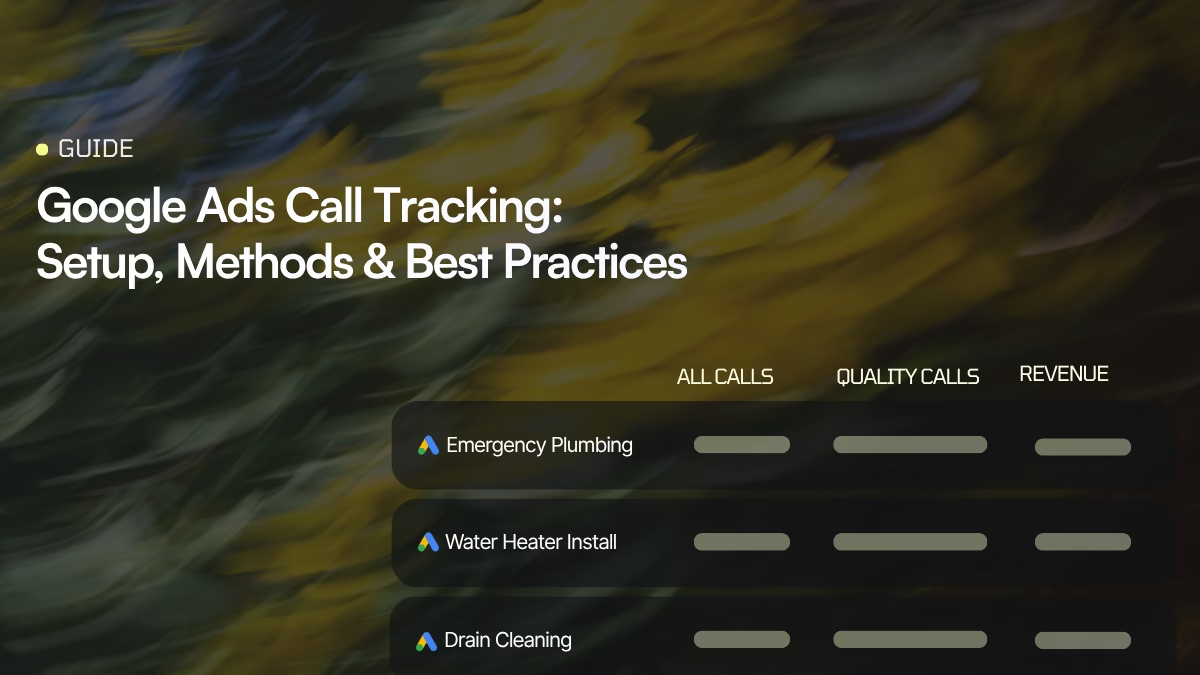
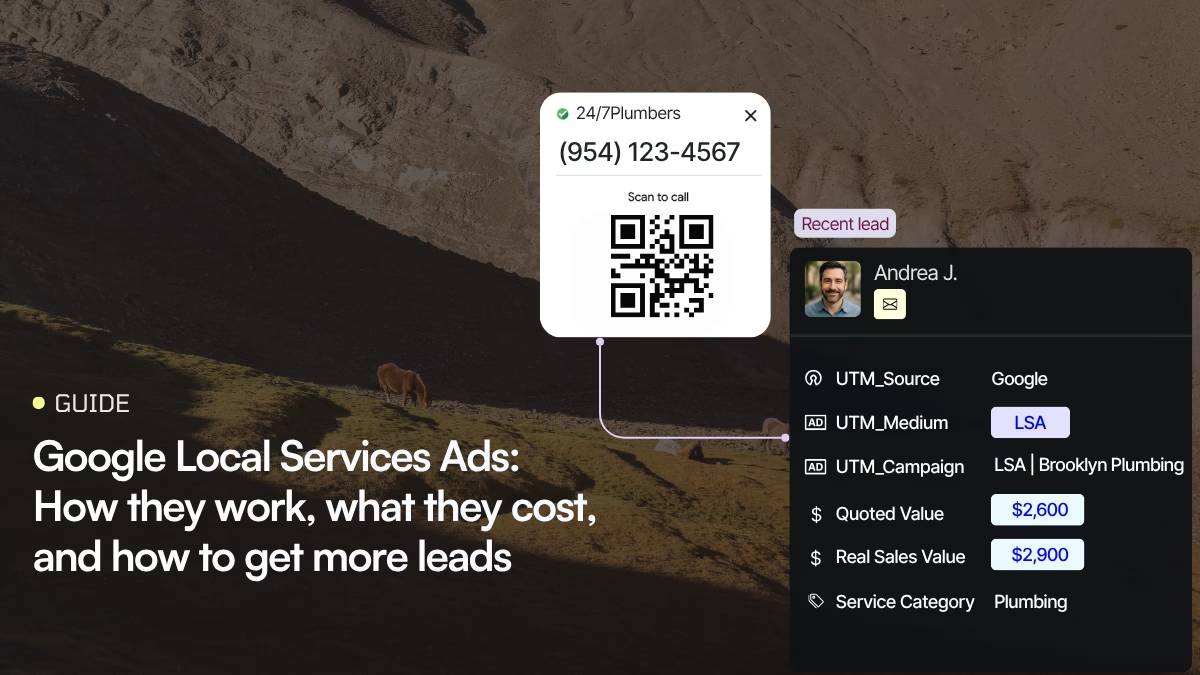
Exploring HubSpot call tracking provides invaluable insights into its benefits, limitations, and impact on marketing strategies. By staying updated with the latest advancements, businesses can leverage HubSpot to enhance customer interactions, optimize campaigns, and drive growth. Here’s to embracing innovative solutions that revolutionize marketing practices and deliver tangible results!
A very timely article, just when I need the info about click to callable buttons. Perfect !!!! And Thanks a lot.