INTEGRATIONS / Google Ads

Google Ads

Feed real call conversion data back into Google Ads.
Optimize bidding on the keywords that actually generate revenue, not just clicks.

Why Google Ads + Nimbata?

Automatically track calls in Google Ads, capture call outcomes, and sync attribution data with precision — no manual work.

call tracking for google ads - track multiple call conversions
Multiple Call Conversions, one setup

Send different call conversion actions to Google Ads based on Nimbata fields so your reports match real outcomes.
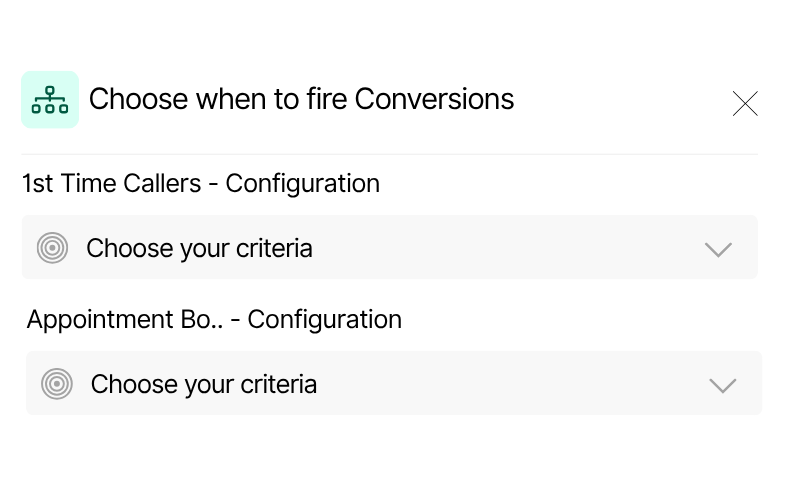
call tracking for google ads - Choose when to fire Google Ads conversions
Conditional conversion logic

Choose exactly when to fire each Google Ads conversion: set rules by call duration, caller type, tags, or AI classification for precise tracking.
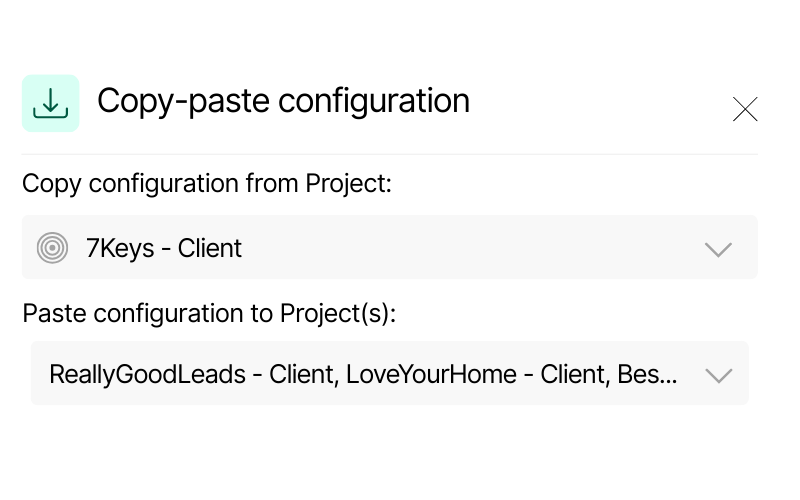
Screenshot of Nimbata’s copy-paste configuration feature. It displays a source project “7Keys – Client” and options to paste configuration into multiple Dynamics projects, including “ReallyGoodLeads – Client” and “LoveYourHome – Client.”
Scalable configuration

Manage one client or a hundred. Copy your setup across all projects in seconds and keep every account consistent.

Call Tracking for Google Ads integration capabilities

(that help you get more from your ad spend)

Attribute calls and classify them with AI for rich reports - Call Tracking Google Ads

Attribute calls and classify them with AI for rich reports

Automatically match each call to its campaign, ad group, and keyword, while Nimbata AI tags and categorizes conversations for richer, more actionable reports.

Know exactly what’s driving results.
Get deeper insight into call performance.
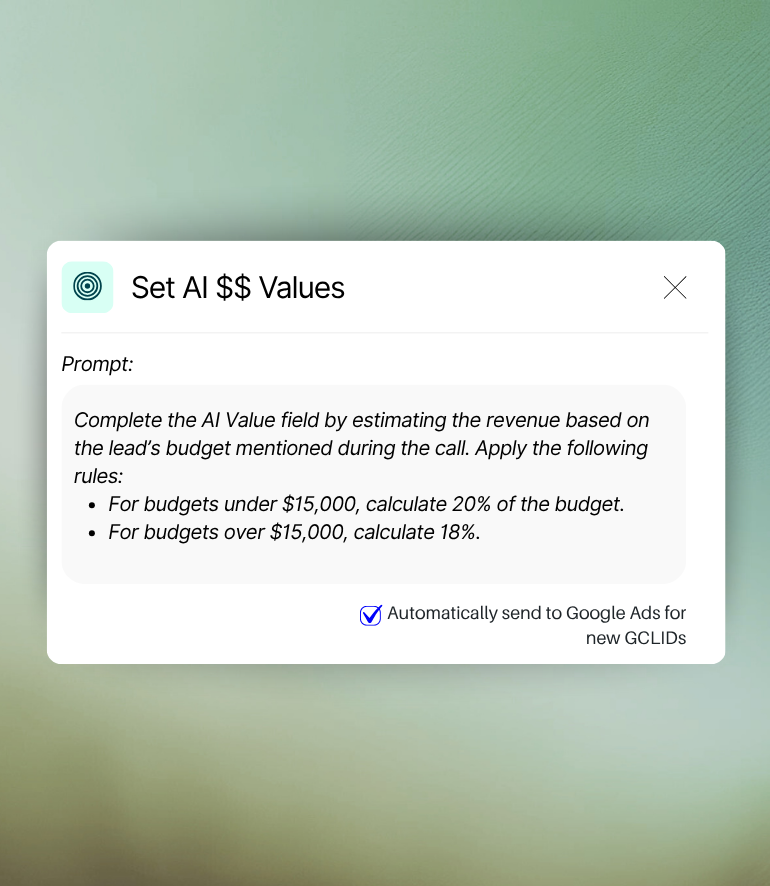
Google Ads ROI Tracking - Real revenue tracking & syncing

Real revenue tracking & syncing

Send Google Ads conversions enriched with Nimbata’s AI Value fields, capturing the actual revenue from each call so you can optimize based on true ROI.

Measure what really matters.
Focus on profit, not just leads.
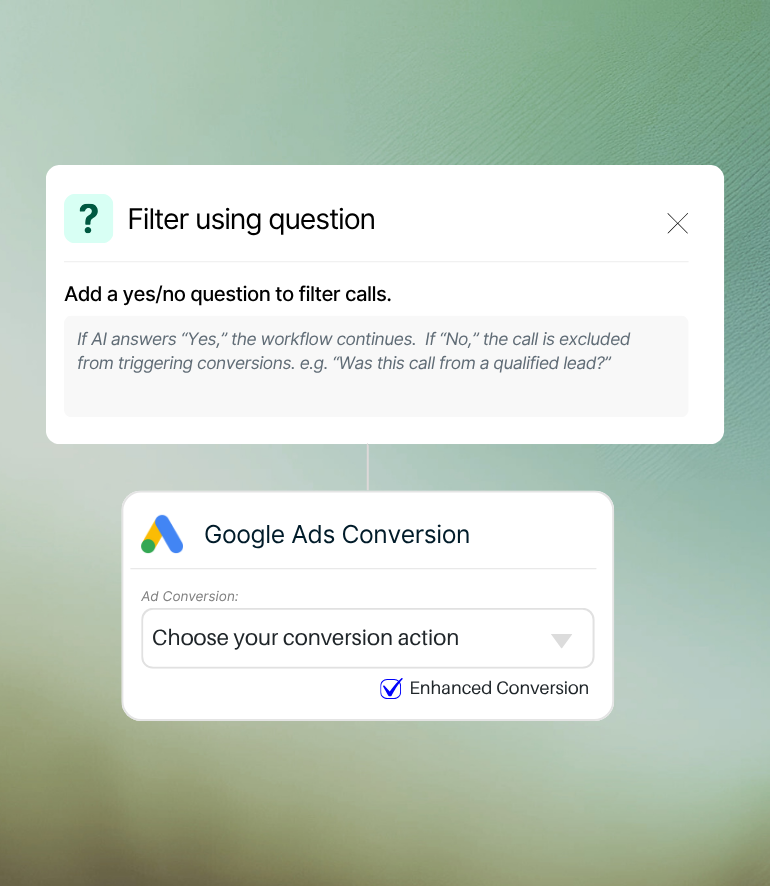
Smarter spend & cleaner accounts with AI-Powered Question for sending Google Ads conversions

Smarter spend & cleaner accounts

Use natural language filters or AI tags to block spam, misdials, and low‑value calls from triggering conversions, keeping your Google Ads data accurate.

Protect your ad budget
Keep reporting lean and precise

See exactly which ads drive your
best leads in no time!

Easily classify calls with AI and trigger Google Ads conversions using powerful workflows. Send multiple call conversion actions – based on real‑time outcomes – all from one streamlined dashboard.

HOW IT WORKS
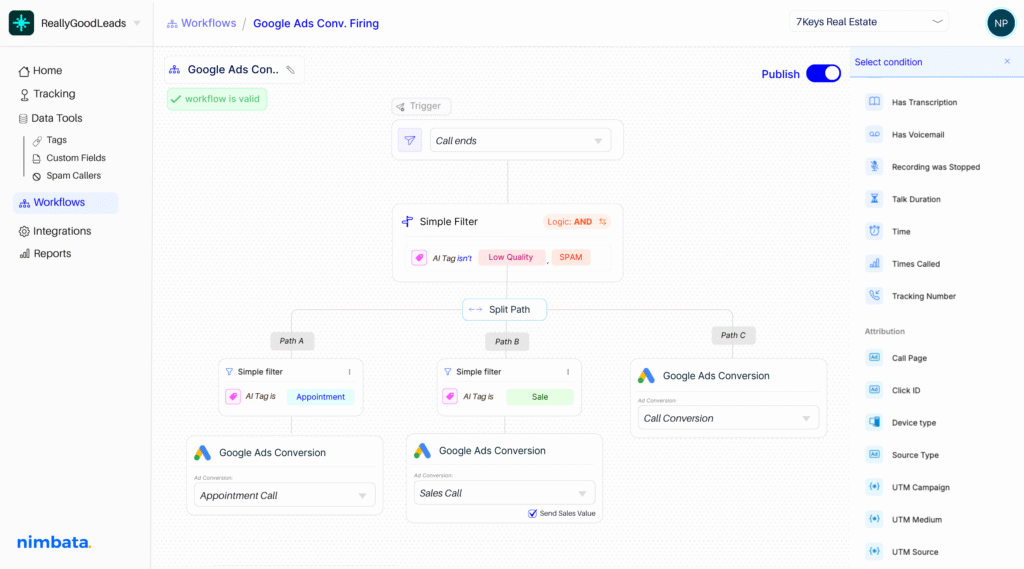
Include CRM automation on your workflow builder-split paths and sync your apps effortlessly

Make Google Ads react only to the calls that matter.

Build workflows using 30+ real-time conditions — from call duration and caller type to AI-detected revenue and intent — so you decide exactly which calls trigger a conversion.

Turn every call into campaign intelligence.

Nimbata AI classifies conversations, tags lead quality, and captures real revenue with AI Value fields — so your Google Ads reports reflect true ROI, not just call counts.

Trigger the right conversion, every time.

Decide exactly which conversion action Nimbata sends to Google Ads based on live call criteria, ensuring your campaign data stays clean, accurate, and profitable.

Nimbata + Google Ads Integration FAQs

Can I see which ads, campaigns, and keywords drove each call?

Yes! Nimbata attributes every call to its campaign, ad group, keyword, so you can measure performance at the most granular level.

Why third-party call tracking for Google Ads

Google’s built‑in call tracking is limited to call length and source, and it can’t track revenue, lead quality, or caller intent. With Nimbata, you get full attribution to campaigns, ads, and keywords, plus AI‑powered revenue tracking, call tagging, and filtering — so you can optimize Google Ads for real ROI, not just call volume.

Can I send multiple call conversions to Google Ads?

Yes. Nimbata lets you create and send multiple types of call conversions — such as Qualified Lead, Booked Appointment, or Closed Sale — each mapped to its own Google Ads conversion action.

You can set custom rules using AI Tags, AI Value thresholds, call duration, or caller type so every conversion reflects the real outcome of the call. This allows you to track different stages of the customer journey, run separate bidding strategies, and measure both lead volume and actual revenue without mixing the data.

Can I filter which calls get counted as conversions?

Yes. You can create rules based on call duration, caller type, AI tags, AI Value thresholds, and even natural‑language questions (e.g., “Was this a qualified lead?”) to filter out low‑value calls.

Will my conversions match the actual value of the sale?

Yes. Using AI Value fields, Nimbata can calculate the revenue from a call based on the conversation and send that exact number back to Google Ads for revenue‑driven optimization.

Does Nimbata prevent bad calls from inflating my Google Ads data?

Yes. You can automatically block spam, misdials, and low‑value calls from being sent as conversions, keeping your Google Ads data clean and your budget focused.

How does the integration help improve ROI?

By pushing only high‑value conversions (with actual revenue) into Google Ads, you feed the bidding algorithm the right data. This lets Smart Bidding optimize toward profitable clicks instead of wasting spend on low‑quality leads.

Can I use different conversion actions for different outcomes?

Yes. For example, you might send “Qualified Lead” calls to one conversion action and “Closed Sale” calls to another, each with its own value.

Does Nimbata work with offline conversions in Google Ads?

Yes. Nimbata can send GCLIDs back to Google Ads so revenue is attributed to the original click — even if the call happens days or weeks later.

How quickly do conversions show up in Google Ads?

On average, call conversions sent from Nimbata appear in Google Ads within 12 hours. This processing time is due to Google’s offline conversion import process. While the delay won’t affect your conversion tracking accuracy, it’s best to keep it in mind when monitoring same‑day campaign performance.

Can I use Nimbata data to refine targeting in Google Ads?

Yes. You can identify top‑performing keywords, locations, devices, and times of day from Nimbata’s call data and adjust your Google Ads targeting for maximum ROI.

How long does it take to set up the Google Ads call tracking connection?

Most users connect Nimbata to Google Ads and configure their first conversion rules in under 10 minutes. If you already have Google Ads conversion actions set up, the process is even faster — it’s just a matter of mapping fields and choosing your trigger conditions.

Discover more integrations