Learn to set up call tracking in Google My Business for accurate revenue attribution and lead management.
So, how do you properly track Google My Business calls? In this guide, we’ll show you how to effectively set up call tracking in your Google My Business account, ensuring accurate revenue attribution.
Using Google My Business (GMB) is one of the best ways to generate leads for your local business. And now that Google removed Call Tracking from Business Profiles, there is no actual way to know how many leads your listing generates.
But if you are a small local business, every lead counts and there is no room for not tracking phone leads.
Will it hurt my NAP if I track Google My Business calls?
Google My Business call tracking has undergone significant changes over the past few years. Previously, tampering with your Google My Business listing was ill-advised, as it could result in suspension and disrupt your online directory listings.
We are now at a time where Google has introduced the option for companies to include secondary numbers, allowing for the integration of call tracking numbers while preserving NAP consistency (Name, Address, Phone Number) – a crucial element for search engines to interpret your business information accurately and facilitate call tracking.
So the answer is “No”. It won’t hurt your NAP at all. On the contrary, if you are not tracking calls you will be missing out on very important information.
You should start tracking calls from Google My Business and you can do so by using a third-party call tracking tool.
Let’s dive right into it!
Step 1: Get a tracking number from a call tracking tool
To start, you’ll need a call tracking solution. For the sake of this tutorial, let’s assume you’ve chosen a call tracking number via Nimbata or another system. Now, let’s discuss the critical steps needed to ensure pinpoint accuracy.
Don’t have a tracking number? Here’s how to get one
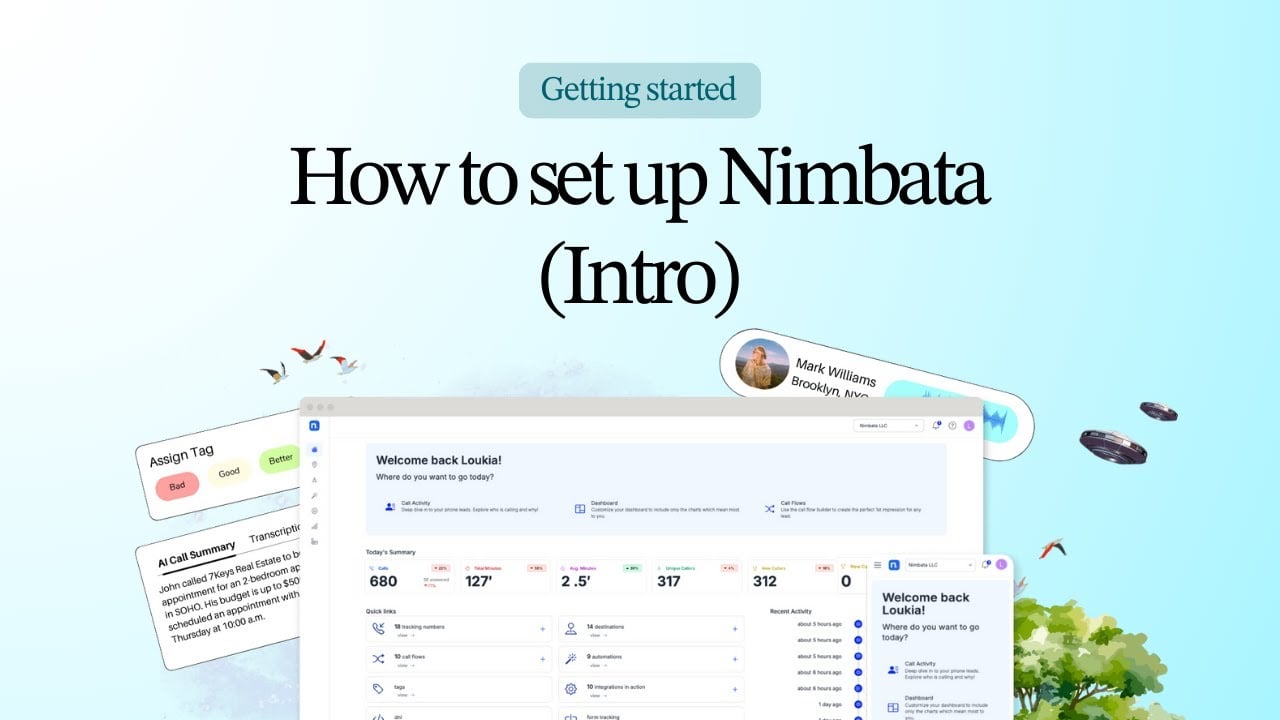
You can get one by signing up with Nimbata for free. Below I show you how to easily grab a phone number with a local prefix which you can instantly use!
Step 2: Log in to your GMB profile
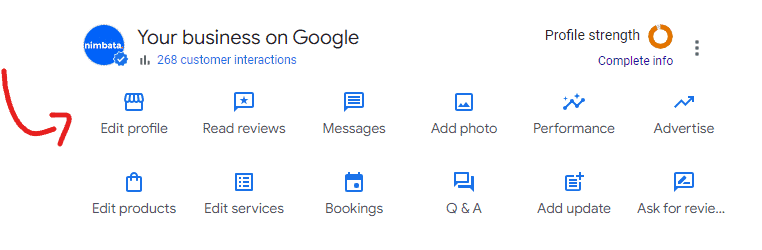
To kick things off, we need you to dive into your Google My Business listing, as shown below.
Click on the Edit Profile Icon
Next, navigate to the “Contact” tab and locate “Contact Information”
Next, scroll down to locate your primary phone number. Click on it, and you’ll spot a handy blue button below that reads “add phone number.”
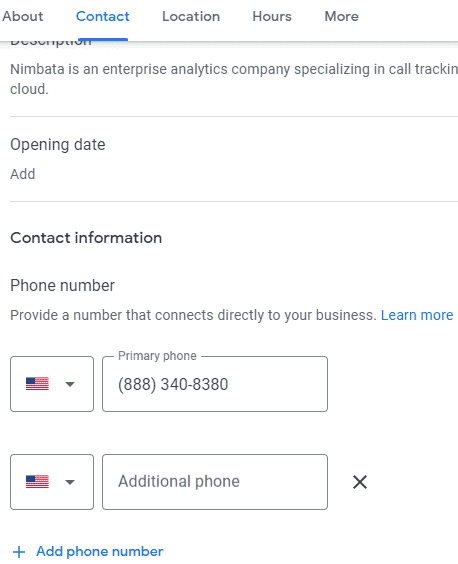
Ensure you have your call tracking number at the ready for pasting or input, and I’ll guide you through the process.
Step 3: Add tracking number to your GMB profile
Now follow these steps: Click the blue “add phone number.” Copy and paste your primary number (the one used for directory listings and citations) into the additional phone number category.
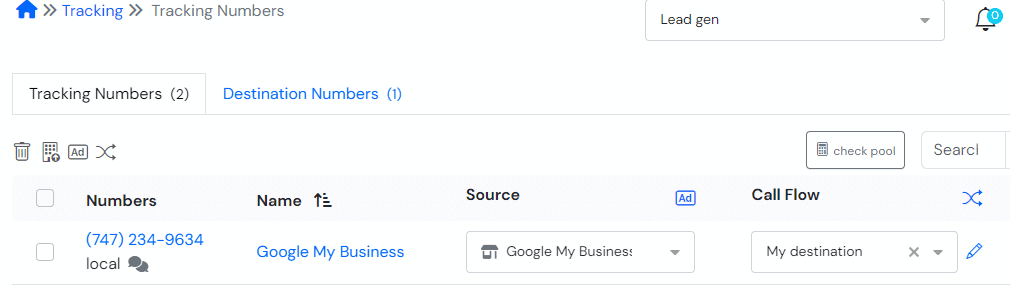
Then, insert your call tracking number.
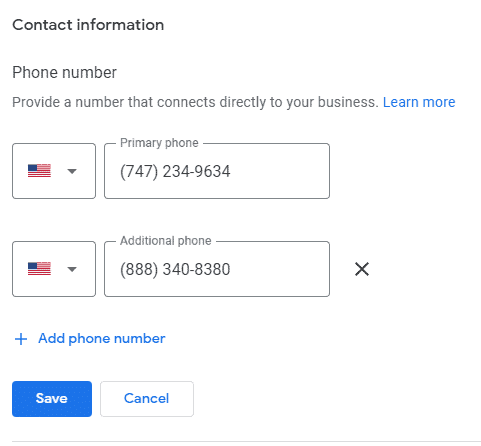
Click Save, and your Google My Business dashboard will now feature the call tracking number.
This empowers you to monitor calls originating from your listing, addressing potential inaccuracies in Google My Business insights. This method ensures precise data collection, complementing the tracking of website leads.
Step 4: View phone call data from calls from GMB
As you can see in the report below, you can now view exactly how many leads have called you from your GMB listing, how many of these were answered, a breakdown per day or week and unique callers.

But there is more! You can dive into more insights for each call by clicking on it, revealing the caller id, date/time, duration, listening to the call recording and so much more!

Key Takeaways
- Google Has Removed Built-in Call History: As of July 31, 2024, Google has discontinued call and chat history features in Google Business Profiles. It has become essential for local businesses to track their leads differently.
- Call Tracking Won’t Hurt Your NAP: You can now safely use call tracking numbers on your Google My Business listing by adding them as secondary numbers. This helps maintain the NAP (Name, Address, Phone) convention and satisfies the SEO needs of your listing, leaving it effectively intact.
- Use a Third-Party Tool Like Nimbata: If you wish to continue your call tracking efforts through your GMB profile, a third-party call tracking solution, Like Nimbata, is the perfect fit for your needs. All you have to do is add the tracking number as a secondary contact in your profile and it’s done – Nimbata will start collecting detailed call data on your behalf so you can measure the performance of your marketing efforts more accurately.
FAQ – Track Google My Business calls
Google My Business Call Tracking or GMB Call Tracking is a feature that allows businesses to monitor and track phone calls generated through their Google My Business listing. Google My Business is a free online platform provided by Google that enables businesses to create and manage their online presence, particularly in local search results.
Call tracking within GMB is a valuable tool for businesses to understand how their listing is performing and to measure the effectiveness of their online marketing efforts.
No. In early July 2023, Google quietly removed the call tracking feature from Business Profiles.
Yes. There are third-party call tracking services available that can help you track calls generated through your GMB listing. These services often provide more detailed analytics and insights into your call traffic.
Call tracking for Google My Business (GMB) offers several key benefits for businesses looking to optimize their online presence and marketing efforts:
– Measure GMB Listing Performance: Call tracking allows you to quantify the effectiveness of your GMB listing. You can determine how many phone calls your listing generates, providing valuable insights into its impact on your business.
– ROI Analysis: Call tracking helps you assess the return on investment (ROI) of your GMB listing and related marketing activities. You can determine which aspects of your online presence are delivering the best results in terms of phone leads.
– Improve Customer Service: Call recording features in some call tracking services enable you to review call content for quality control and training purposes. This can help improve customer service and the overall customer experience.
– Identify Peak Call Times: Call tracking can reveal when your business receives the most phone calls. This information helps you allocate staff and resources more effectively during high-demand periods.
– Track Offline Conversions: For businesses that rely on phone calls to drive sales or appointments, call tracking helps bridge the gap between online and offline conversions, allowing you to attribute leads accurately.