INTEGRATIONS / Pipedrive

Pipedrive

Every inbound call becomes a Pipedrive deal — automatically.
With the marketing source, call outcome, and lead context your sales team needs to close.

Why Pipedrive + Nimbata?

Keep your Pipedrive pipeline complete. Nimbata auto-creates deals for new callers and updates existing ones in real time.

Call outcomes-Tags- AI insights from Nimbata directly to Pipedrive
Data mapping

Your data, your way. Call outcomes, lead quality, and AI insights land exactly where you need them in Pipedrive.

Conditional sync logic- Choose when to fire Pipedrive Integration with custom triggers
Sync when it matters.

Only the calls that matter, synced to Pipedrive. Filter by lead quality, call length, or outcome — no noise in your CRM.
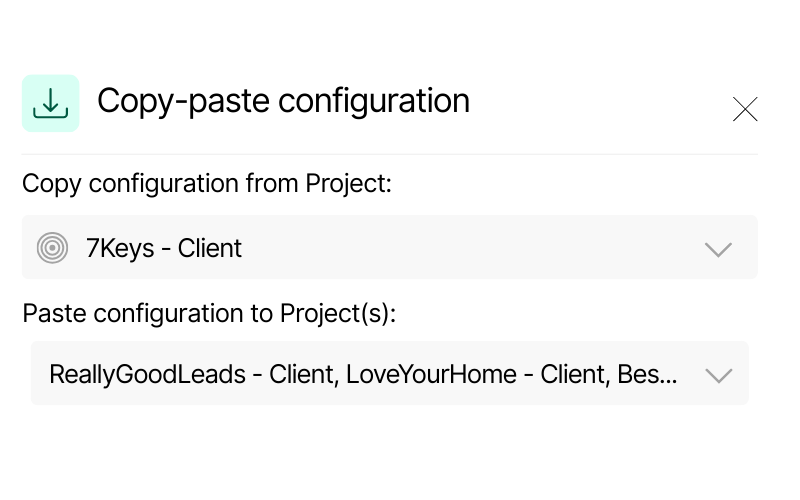
Screenshot of Nimbata’s copy-paste configuration feature. It displays a source project “7Keys – Client” and options to paste configuration into multiple Dynamics projects, including “ReallyGoodLeads – Client” and “LoveYourHome – Client.”
Scalable configuration

Manage one client or a hundred. Copy your setup across all projects in seconds and keep every account consistent.

Stop losing phone leads after the call ends.

(Pipedrive only knows what you tell it. Nimbata tells it everything.)
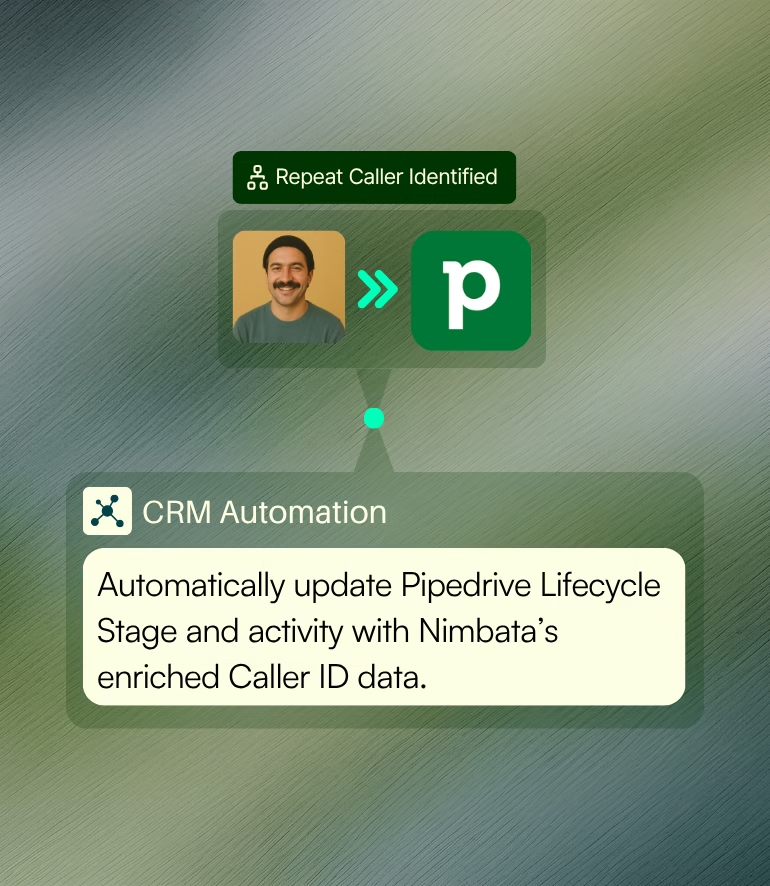
Create contacts on Pipedrive automatically thanks to Nimbata's CRM automation

Automatic contact creation & updating

Automatically push high-intent callers into Pipedrive as deals or contacts — complete with source and context.

Keep your CRM accurate, actionable, and fully aligned with the latest call details.

Push Attribution data such as GCLID, Click ID and Keyword from Nimbata to your CRM

Rich marketing attribution data

Gain full visibility on what made them call, from where and categorize your leads according their value instantly.

Zero manual review. 100% clarity.

AI call tracking - enrich your lead's data in Pipedrive with Nimbata AI

AI-powered call classification in Pipedrive

Activate Nimbata’s AI and let it tag, score and assign dollar values to calls based on conversation content.

Identify which calls are sales-ready leads at a glance.

Get call data in your Pipedrive account in no time – seriously!

Pipedrive CRM meets real-time call intelligence

HOW IT WORKS
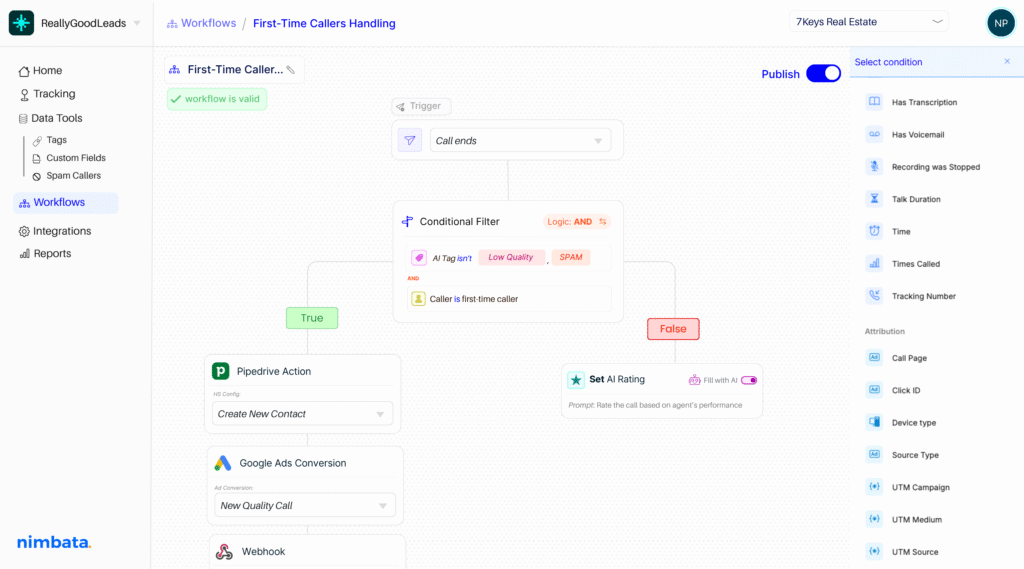
Include CRM automation on your workflow builder-split paths and sync your apps effortlessly

Make Pipedrive react to the right calls.

Build workflows using 30+ real-time conditions — from source, duration, and caller type to AI-detected outcomes – to decide which calls deserve a CRM update, and when. No more one-size-fits-all logic.

Every call becomes a qualified Pipedrive contact.

Let AI summarize the conversation, take notes, detect buying intent, and automatically assign lead value and tags — so your CRM reflects reality, not assumptions.

Automate the right Pipedrive action, every time.

Configure exactly what Nimbata should do in Pipedrive after a call — from creating new contacts to updating properties or logging call activity. Fully customizable to your CRM setup.

Nimbata + Pipedrive Integration FAQs

Can I choose which calls are sent to Pipedrive?

Yes, Nimbata allows you to define custom automation rules to control which calls are pushed to Pipedrive. For example, you can set a trigger to only log calls that last more than 60 seconds, or only those tagged from specific campaigns. This helps ensure your CRM stays clean and relevant—without clutter from hang-ups or test calls.

Can I see which ads or campaigns drove each call in Pipedrive?

Yes. Nimbata passes UTM parameters, Google Click IDs, and even offline source data into Pipedrive, helping you understand exactly what triggered the call. This enables full call attribution inside Pipedrive.

How do I enable call tracking in Pipedrive with Nimbata?

Simply connect your Nimbata account to Pipedrive, choose your triggers and field mappings, and calls will begin syncing instantly. No dev work needed — setup takes just a few minutes. We provide a detailed setup guide and test checklist to ensure everything runs smoothly.

Why should I use Nimbata for Pipedrive call tracking?

Nimbata adds powerful call tracking to Pipedrive, letting you see who called, how they found you, and what was said. It enriches call data with source attribution, recordings, and transcriptions—while automating contact and deal creation. No more guesswork, no more manual logging—just full visibility into every call that drives your pipeline.

What call details are recorded in Pipedrive?

By default, Pipedrive stores basic metadata such as call time, duration, and outcome. However, if you’re using Nimbata, you can enrich these records with deeper analytics—such as source, campaign, UTM parameters, call recordings, and even transcriptions—directly from Nimbata’s platform. These insights are accessible via embedded links in each call activity.

Do I need to manually link contacts or deals?

No. Nimbata offers automatic creation and association of contacts and deals in Pipedrive based on caller ID and call rules.

What happens if a call comes from an existing lead?

Nimbata will match the call to the existing contact using caller ID, and enrich the record with the latest call activity including updated fields or AI insights.

Can I trigger Pipedrive workflows with call events?

Yes! With Nimbata, you can trigger Pipedrive workflows based on call events like new calls, answered calls, or calls with specific tags. Simply use Pipedrive’s workflow automation to define what happens—like assigning a deal, updating a stage, or sending a follow-up email—right after a tracked call is logged.

How long does it take to set up the integration?

Most users connect Pipedrive and start syncing data in under 10 minutes — no coding required.

Can I push data to multiple Pipedrive objects (e.g. contacts, companies and deals)?

Yes, Nimbata lets you push call data to multiple Pipedrive objects at once. You can automatically create or update Contacts, associate them with Organizations, and link the interaction to Deals—ensuring a complete and connected view of every caller in your CRM.

Which Nimbata plan supports the Pipedrive integration?

The Pipedrive integration is available on the Marketing and Agency plans. Check our Pricing Plans to see what else is included under Marketing & Agency Plans.

Discover more integrations