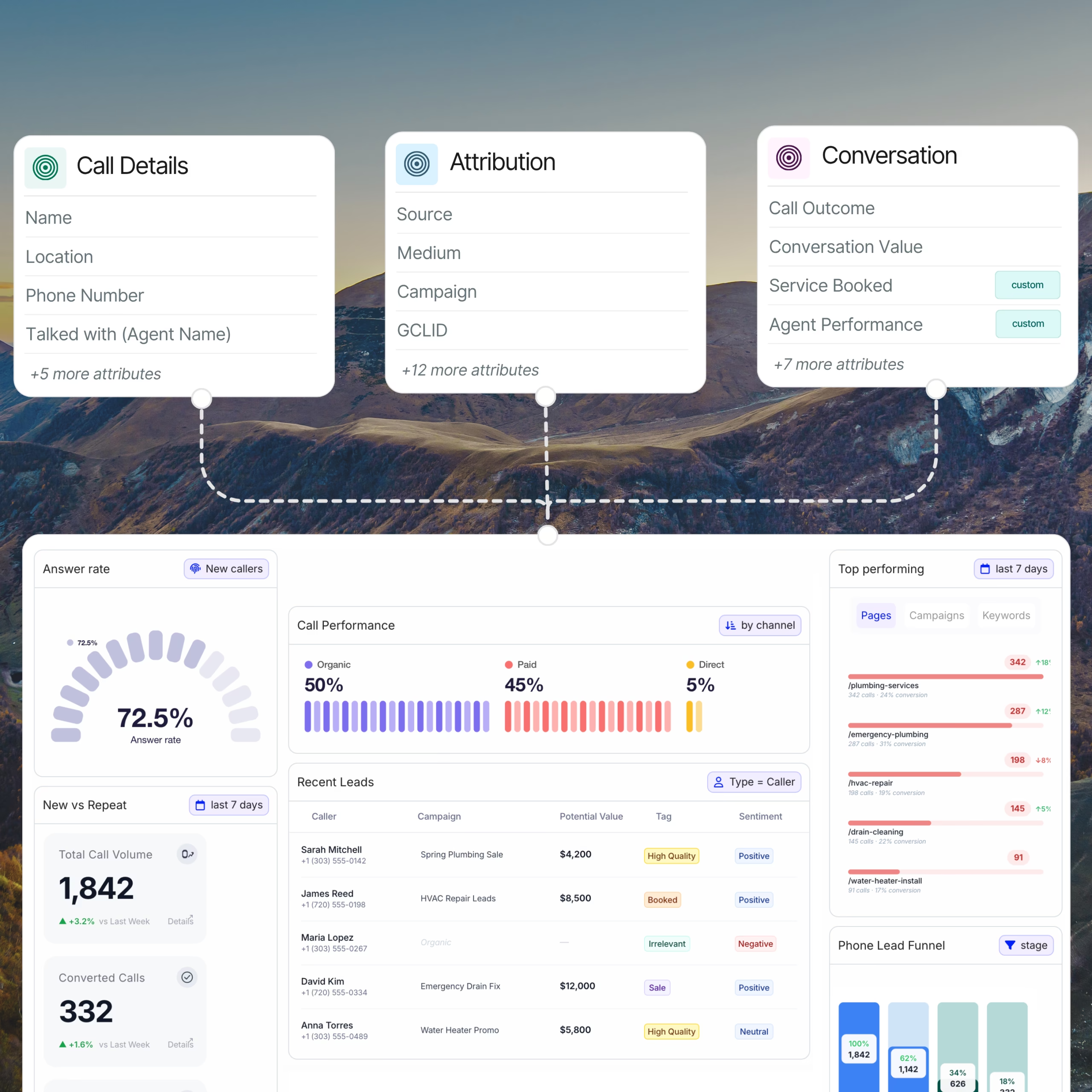
Call tracking reporting is the practice of organizing inbound phone-call data: caller details, marketing source, handling performance, conversation outcome, and revenue, into structured reports that marketers, agencies, and sales teams use to measure campaign performance, qualify leads, and tie calls back to revenue. The five core categories are acquisition reports, behavior reports, operational reports, outcome reports, and attribution reports.
Discover all those ample call tracking reports Nimbata offers to make the most of your inbound calls.
If you’re running marketing campaigns that drive phone calls, you’re already generating call data. Call tracking reporting is what turns that data into decisions. Here’s what it is, the four kinds of reports that matter, and what each one shows you.
TL;DR – Key takeaways:
- Call tracking reporting is the structured analysis of inbound phone calls by source, behavior, outcome, and revenue.
- There are five core categories: acquisition (where calls come from), behavior (who’s calling and when), operational (how calls are handled), outcome (what happened on the call — qualified, booked, sold), and attribution (which campaigns drove revenue, and how much).
- Real-time call reporting matters when marketing decisions are made weekly or daily — not just at month-end.
- Agencies use white-label call reports to prove campaign ROI to clients without exposing back-end data.
- Modern call reporting tools push call data to GA4, Looker Studio, and CRMs — call data lives where the rest of your marketing data already lives.
What is call tracking reporting?
Call tracking reporting is the discipline of measuring and analyzing inbound phone-call data the same way digital marketers measure clicks, sessions, and form submissions. Every phone call has a story attached to it — which ad drove it, which landing page the caller saw, what the conversation was about, whether it converted, and what it was worth. Call tracking reporting captures that story and turns it into actionable views your marketing team can use.
It’s distinct from call tracking itself. Call tracking is the capture: dynamic phone numbers, recording, transcription, the underlying data layer. Call reporting is the visualization: the dashboards, exports, and scheduled reports that make the data usable. You need both. but most marketing teams spend 90% of their time inside the reporting layer, not the capture layer.
The terms “call tracking reports” and “call analytics” overlap but aren’t identical. Reports are the structured outputs (PDFs, dashboards, scheduled emails). Analytics is the deeper analysis layer (trends, predictions, cohorts). A complete call tracking platform offers both, but the everyday workflow lives inside reports.
The 5 types of call tracking reports
Every call tracking report falls into one of five categories, distinguished by what question it answers. Understanding the categories matters because most marketing teams need at least one report from each and skipping a category creates blind spots.
- Acquisition reports: where your calls come from
Acquisition reports answer the question “which marketing channel is driving this call?” They’re the most-used reports in any marketing team because they tie phone calls back to specific ad spend, organic search effort, or direct mail campaign. Without acquisition reporting, calls show up as anonymous events with no attribution, which makes ROI impossible to measure.
Typical acquisition reports include:
- Source call attribution report: breaks down calls by channel (paid search, organic search, paid social, direct, email, referral).
- Campaign performance report: shows calls per campaign in Google Ads, Microsoft Ads, or Meta.
- Keyword-level call report: attributes calls down to the specific search query that drove them.
- Landing page report: shows which page the caller was on when they picked up the phone.
- Cost per call report: calculates true CPA including media spend and call volume.
Acquisition reporting requires dynamic number insertion (DNI) at minimum. Without DNI, you can show that calls happened but not which channel produced them.
- Behavior reports: who’s calling and when
Behavior reports answer “what kind of caller is this?” They tell you whether your callers are new or repeat, what time of day they call most often, where they’re geographically located, and how long they typically stay on the line. This is the operational planning layer of call reporting — it informs staffing, budget allocation, and where to focus customer experience effort.
Typical behavior reports include:
- Caller report: new vs. repeat callers, with caller ID and call history.
- Geography report: calls by country, state, or city, often on a map view.
- Frequency report: peak hours, peak days, calls by hour of day.
- Call duration report: average call length by source or campaign.
- Caller journey report: the path from first website visit to phone call
Behavior reports are especially valuable for businesses with seasonality: home services in spring, education in admissions season, healthcare around flu season. They let you anticipate call volume rather than react to it.
- Operational reports: how calls are being handled
Operational reports answer “are we handling the calls we’re getting?” If acquisition reports are for marketing, operational reports are for sales operations, customer service leads, and call center managers. They surface missed calls, voicemail-to-callback ratios, average response time, and rep performance.
Typical operational reports include:
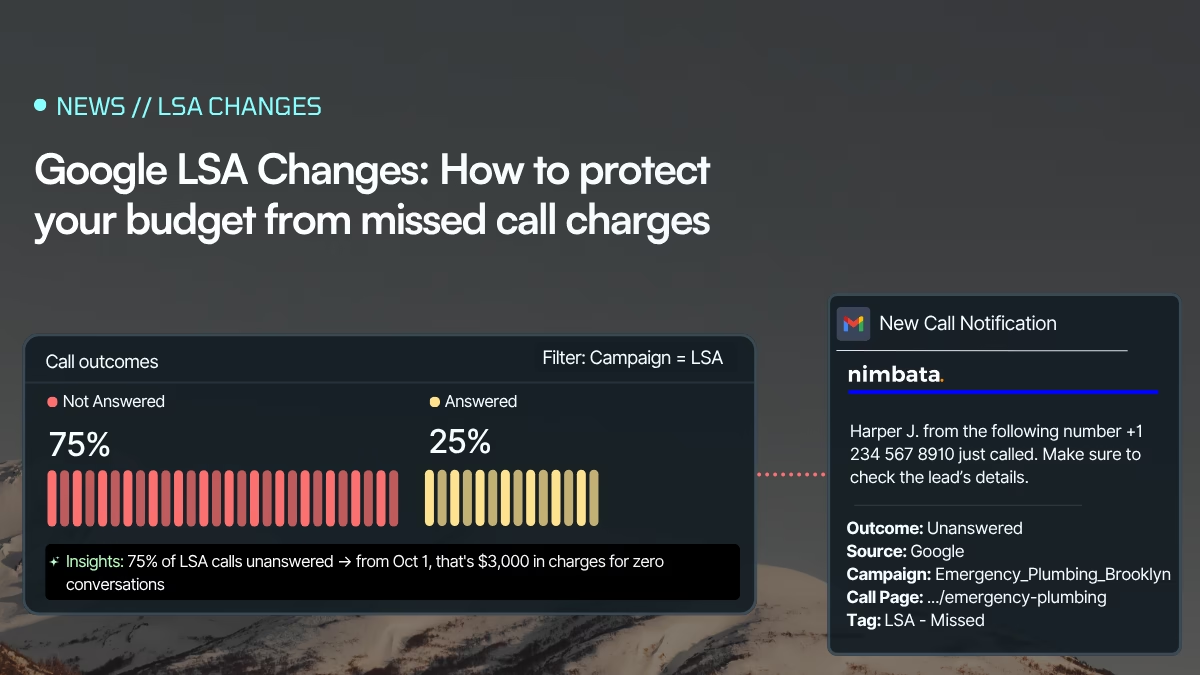
- Missed call report: unanswered inbound calls with caller details for follow-up.
- Answer rate report: percentage of calls answered vs. missed.
- Average handle time report: how long reps spend on each call.
- Agent performance report: calls handled per rep, conversion rate per rep, quality scores.
- Voicemail report: voicemails left and follow-up status.
Missed call reports specifically are one of the highest-ROI reports in the category. Industry research shows that 35–45% of missed calls go to a competitor within 30 minutes if not followed up. A simple report that surfaces missed callers by day, sorted by source, recovers revenue that would otherwise be invisible.
- Outcome reports: what actually happened on the call
Outcome reports answer “what was the result of this call?” Where attribution tells you which channel drove the call, outcome reports tell you what happened once the conversation began, was the caller qualified, did they book, did they buy, what was their intent, and what’s the next step?
This is the report category that uses conversation intelligence and bridges marketing and sales. Marketing uses outcome reports to separate calls that converted from calls that didn’t before doing attribution math. Sales uses outcome reports to track pipeline activity, rep performance against quota, and conversion rates by stage. Without outcome reporting, “we got 500 calls last month” is a meaningless statement — you don’t know how many were qualified, spam, support questions, or wrong numbers.
Typical outcome reports include:
- Call qualification report: qualified vs. unqualified vs. spam, broken down by source.
- Call outcome report: booked, sold, no-show, follow-up needed, lost.
- Lead grade / score report: AI-generated quality score combining intent, fit, and conversation signals.
- Sentiment report: positive, neutral, or negative caller sentiment from transcript analysis.
- Intent analysis report: what the caller actually wanted (buy, support, info, complaint).
- Next-step report: calls requiring follow-up, sorted by urgency.
- Revenue per call report: actual dollar value attached to each outcome.
- Pipeline progression report: calls grouped by where they sit in your sales stages.
Outcome reporting requires two things:
- Call outcome tagging: either manual (a rep selects from a dropdown after the call) or AI-driven (the platform auto-tags based on the transcript). AI tagging is now accurate enough at most B2B platforms to handle 70-80% of calls without human review.
- Revenue value assignment: either fixed ($X per booking) or dynamic using custom AI prompts.
Without those things, outcome reports become educated guesses rather than measurements. Outcome reporting is the single most under-invested category in most call tracking setups and the one with the highest payoff when fixed.
- Attribution / ROI reports: what calls were worth, by channel
Attribution reports answer “did this call make us money, and which channel deserves the credit?” Where outcome reports tell you what happened, attribution reports roll those outcomes up to the marketing channel, campaign, or keyword that drove them. This is the final mile of call reporting and the report that justifies marketing budget.
Typical attribution reports include:
- ROI by channel report: revenue and return broken down by marketing channel.
- Cost per acquired customer (call CAC) report: true cost including media and call handling.
- Multi-touch attribution report: phone call as one touch in a multi-step customer journey.
- Revenue per channel report: total revenue tied to each marketing source.
- Lifetime value (LTV) by source report: long-term customer value by acquisition channel.
Attribution reporting depends on outcome reporting. You can’t calculate ROI by channel until you know which calls converted and what they were worth. Build outcome reporting first, attribution reporting second — in that order.
Real call tracking report examples
Different industries lean on different reports. Here’s how the four categories show up in practice across common Nimbata customer segments:
| Industry | Most-used report types |
|---|---|
| Marketing agencies | All four; emphasizes white-label client delivery and source attribution |
| Home services | Operational (missed calls) + acquisition (which ad drove the job) |
| Automotive | Attribution (test drive → sale) + behavior (peak shopping hours) |
| Healthcare | Operational (appointment booking rate) + behavior (caller geography) |
| Real estate | Acquisition (listing-level attribution) + behavior (caller journey) |
| Higher education | Attribution (inquiry → enrollment) + acquisition (paid search per program) |
| Legal | Attribution (case value per source) + operational (intake rep performance) |
| Pay-per-call | Acquisition (call source, by buyer) + attribution (payout per call type) |
Who needs call tracking reporting?
Three groups get the most value from structured call reporting. They use the data differently, but the underlying reports are mostly the same.
Marketers
In-house marketing teams use call reporting to attribute phone-driven revenue to specific campaigns, keywords, and channels. The use case is closed-loop reporting: every dollar of ad spend should have a corresponding revenue line attributable to it, and phone calls are usually the gap. Marketers care most about acquisition and attribution reports — and integration with GA4, Looker Studio, and the CRM.
Marketing agencies
Agencies use call reporting to prove ROI to clients. The defining requirement is white-label: reports must be branded with the agency’s identity, show client-specific data only, and be deliverable on a schedule (weekly or monthly) that matches client expectations. Agencies care about all four report categories — but white-label client dashboards are the make-or-break feature.
Sales and operations leaders
Sales VPs and call center operations leaders use call reporting to measure team performance, identify training needs, and surface missed revenue. The use case is operational rather than analytical — these users live inside operational and behavior reports, and want them tied to CRM activity rather than marketing campaigns.
Common call tracking reporting mistakes
Five mistakes are common enough to cover. Each is fixable, and each costs measurable revenue when left in place.
Treating call volume as the goal.
Volume tells you nothing without outcomes. A report showing 1,000 calls means nothing if you don’t know how many converted. Tag every call with an outcome — booked, qualified, sold, irrelevant — or your call reports are vanity numbers.
Not separating real leads from spam.
Roughly 8–15% of inbound calls to most businesses are spam or wrong numbers. If your reports don’t filter them out, your CPA looks better than it is, and your channel attribution gets distorted.
Ignoring missed calls.
Most call tracking platforms surface missed calls but treat them as noise. They’re the opposite, they’re the single most actionable report you can build. Surface them, route them, follow up on them.
No integration with the rest of your marketing data.
Call reports that live in a silo separate from your web analytics and CRM are 30% useful. The same reports pushed to GA4, Looker Studio, and your CRM are 100% useful because you can blend call data with everything else.
No revenue per call.
Without attaching a dollar value to outcomes, you can’t compare channels. A campaign driving 50 calls at $400 average deal size is better than one driving 200 calls at $50. Revenue-per-call reports surface this; volume reports hide it.
Where call tracking reporting is going (2026 trends)
The center of gravity in call reporting has shifted. What used to be “measure how many calls came in” is now “measure which calls converted, where they came from, and what they were worth.” Four trends define 2026.
1. Attribution is the gold standard
Five years ago, the headline KPI in any call tracking report was call volume. Today it’s revenue per channel. Marketing leaders no longer ask “how many calls did we get?” — they ask “which channels produced qualified, revenue-generating calls?” Attribution reporting has gone from a nice-to-have analytics layer to the primary purpose of call tracking. Reports that don’t tie calls to channels and dollars are increasingly seen as incomplete, no matter how rich the volume data.
This shift is driven by accountability. Marketing teams are being held to revenue targets, not call-volume targets. CFOs want to see CAC and LTV by channel. Boards want to see ROI per dollar of media spend. None of those questions can be answered without attribution — so every other type of call report is now in service of it.
2. Server-side tracking is the new foundation
The infrastructure that powers call attribution has changed. Client-side dynamic number insertion — the cornerstone of call tracking for fifteen years — depends on browser cookies and JavaScript that increasingly don’t run reliably. Apple’s ITP blocks third-party cookies. ATT requires opt-in. Safari and Firefox enforce intelligent tracking prevention by default. Cookie deprecation continues across Chrome. Add GDPR, CCPA, and a growing patchwork of state-level US privacy laws, and client-side tracking is no longer a reliable measurement foundation.
The answer is server-side call tracking. Instead of relying on browser-side scripts to attribute a call, modern setups send call attribution data server-to-server from the call tracking platform directly to GA4, Google Ads Conversions API, Meta CAPI, and the CRM. The user never has to be tracked in the browser; the data still flows. This is the single biggest infrastructure shift in call tracking since DNI was invented, and it’s not optional — within 18 months, sites running client-only call tracking will see attribution accuracy drop below 50%.
3. AI outcome tagging makes conversions universally measurable
Until recently, outcome tagging was the constraint. Manual review of every call — to mark it qualified or unqualified, booked or lost, positive or negative sentiment — was either skipped entirely (resulting in volume-only reports) or sampled (resulting in partial visibility). Neither scaled.
AI changed that. Modern call tracking platforms now auto-tag every call using transcript analysis: qualification status, intent, sentiment, outcome, and even custom fields specific to the business. Tagging accuracy is now high enough — 70–85% on most B2B platforms — that human review is needed only for edge cases. The result is that outcome data, which was previously too expensive to maintain across every call, is now ubiquitous. Every call has a tag. Every report can be filtered by outcome. Attribution reports can finally exclude spam, unqualified inquiries, and support calls — and only count what actually converted.
4. Call data lives in one conversion stack with web data
The fourth trend is the most quietly important: call reporting has stopped being a separate discipline. Five years ago, marketers had a “call tracking dashboard” they checked alongside a “web analytics dashboard” and a “CRM report.” In 2026, all three flow into the same place. GA4 treats phone calls as a native conversion type. Looker Studio dashboards blend web sessions with call events. Google Ads, Microsoft Ads, and Meta Ads accept call conversions through Conversions API the same way they accept form fills. CRMs treat call events as first-class records on the contact timeline.
The practical consequence: a single dashboard now shows total revenue attribution across web and phone conversions, by channel, in real time. Phone calls have become measurable in the same way web conversions are measurable — and the gap that historically made it impossible to prove marketing ROI on call-heavy verticals (home services, healthcare, legal, automotive) has finally closed.
FAQ – What Is Call Tracking Reporting? Types, Examples & Use Cases
Call tracking reporting is the practice of organizing inbound phone-call data: source, behavior, handling, outcome, and revenue, into structured reports. It lets marketers, agencies, and sales teams attribute calls to channels, measure handling performance, qualify leads, and tie phone calls to revenue.
The five categories are acquisition reports (which channels drove calls), behavior reports (who is calling and when), operational reports (how calls are handled), outcome reports (what happened on the call: qualified, booked, sold), and attribution reports (what calls were worth in revenue, by channel). Most marketing teams need at least one report from each.
Outcome reports tell you what happened during or after the call (was the caller qualified, did they book, did they convert.) Attribution reports tell you which marketing channel produced that outcome. You need both: outcome reports to separate qualified from unqualified, attribution reports to know which channels deserve more budget
Yes. GA4 sees web behavior but does not record what happens during the phone call: caller identity, conversation content, outcome, or revenue value. Call tracking reporting fills that gap by attaching call-specific data to the user journey GA4 already tracks.