
CALL ROUTING
Create custom call flows that route callers based on time, location, or destination. Customize routing rules to match how your business operates – no code required.
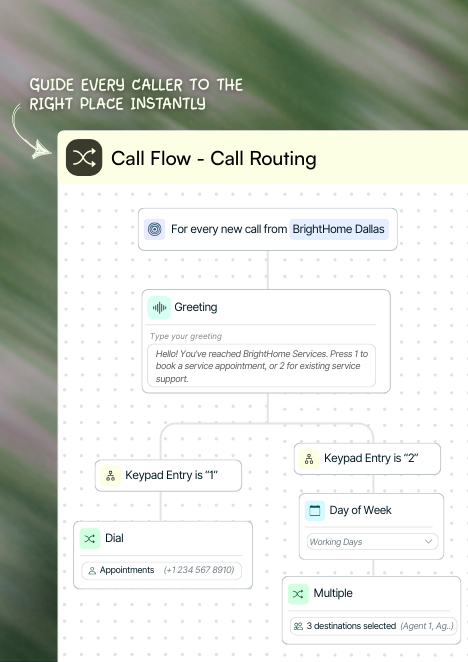
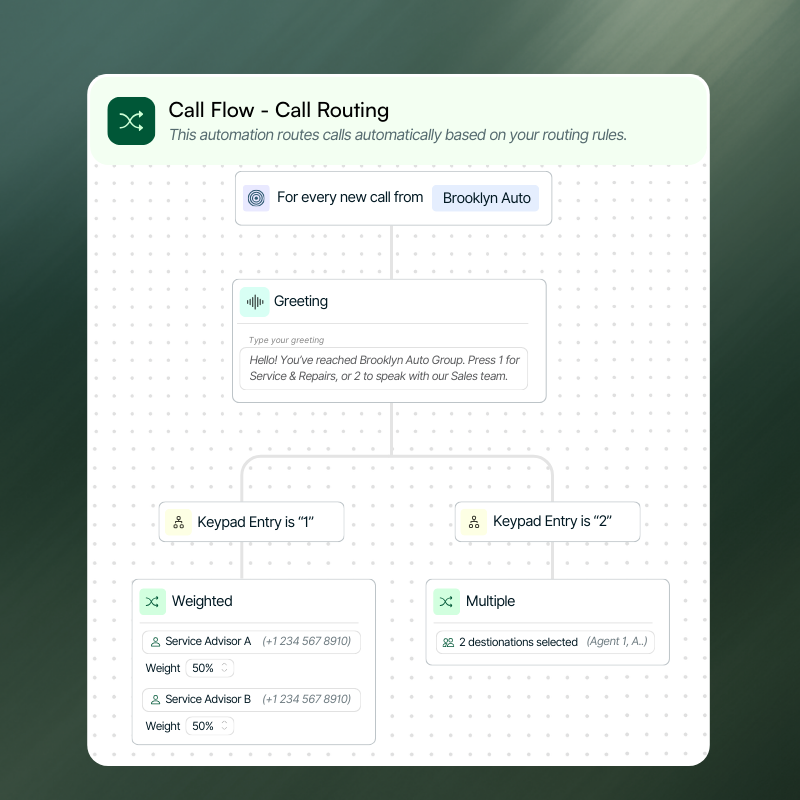
Route calls to multiple destinations automatically
Send calls to different teams, numbers, or locations using a single phone number - eliminating manual transfers and ensuring every call reaches the right destination.
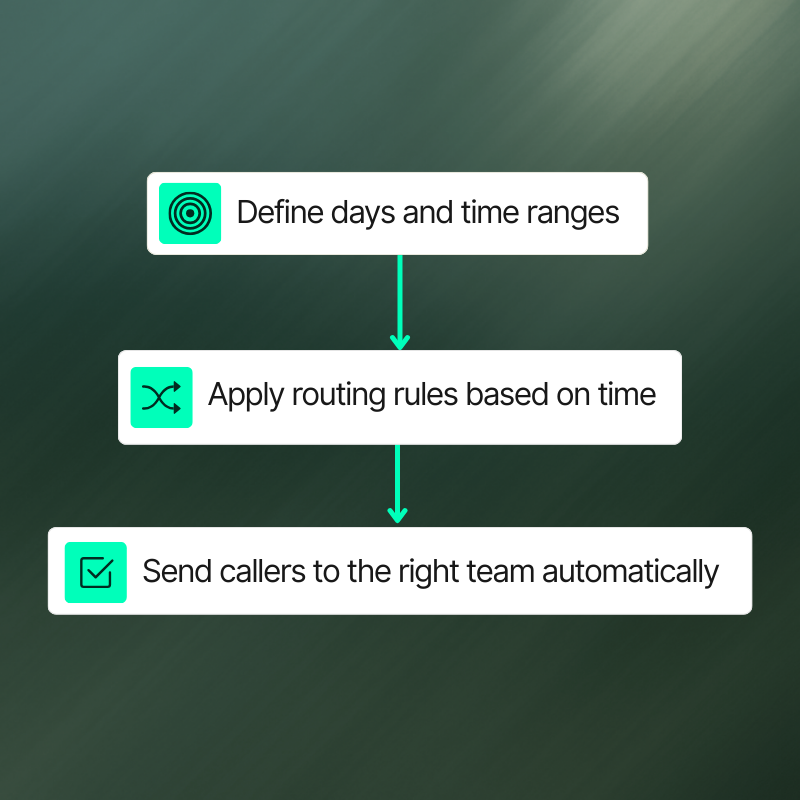
Adapt call routing by time and availability
Route calls differently based on business hours, days of the week, or on-call schedules. Ensure callers are always handled appropriately without changing call flows.
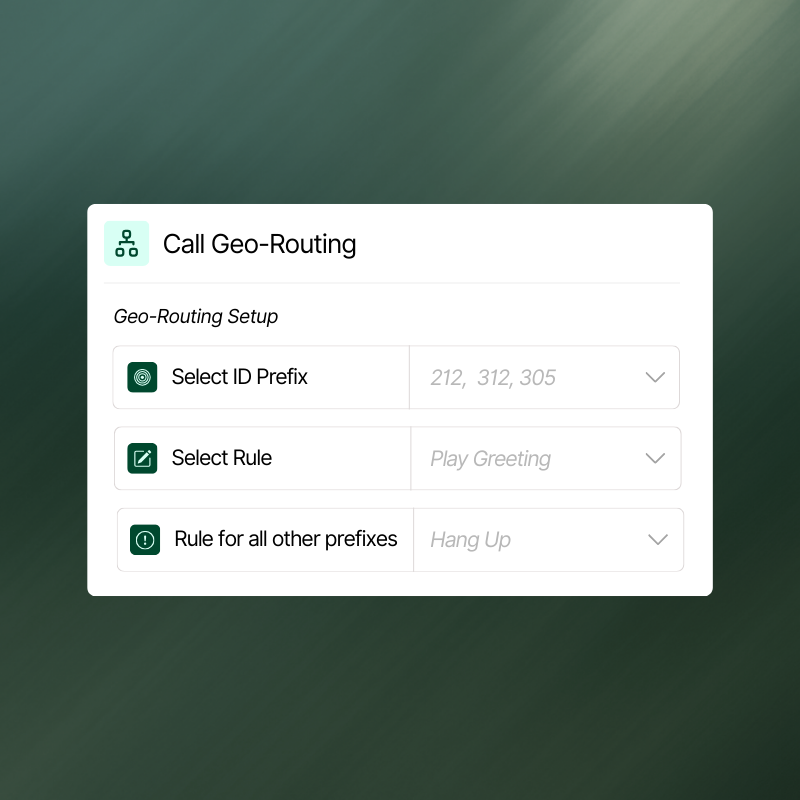
Route calls by caller location
Use caller ID prefixes to route calls based on geographic location. Direct callers to the regional team, or location-specific destination to deliver faster, more relevant service.
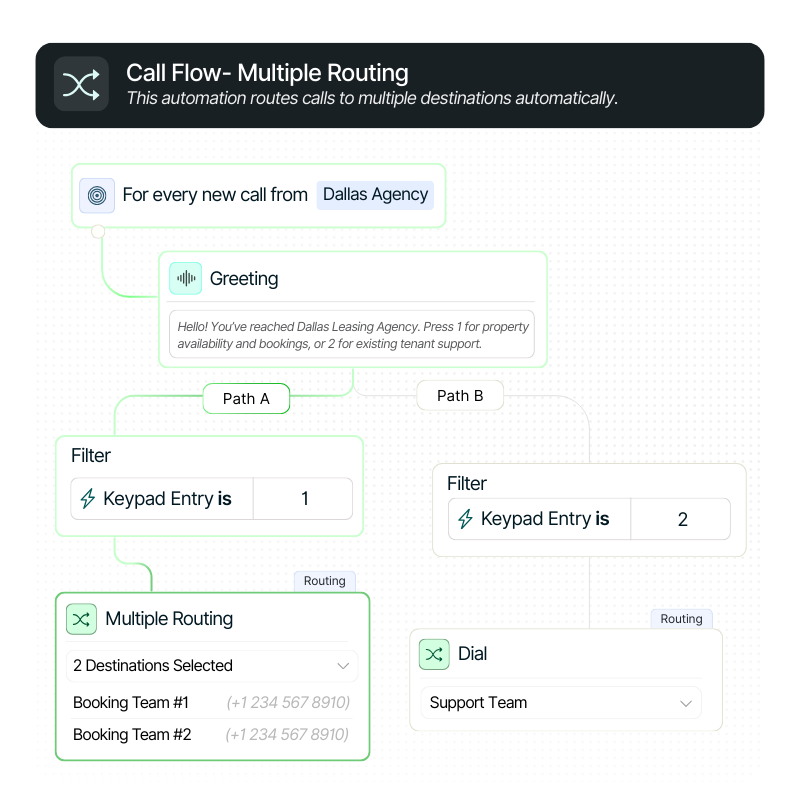
Multiple Routing
Route calls to multiple destinations using a single phone number. Send callers to different teams, numbers, or locations automatically.
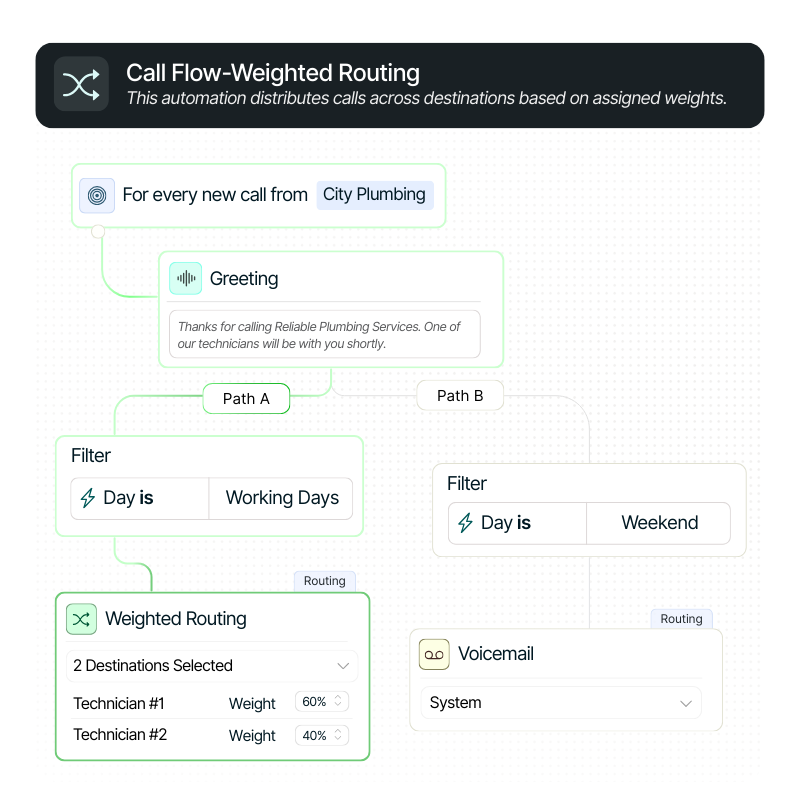
Weighted Routing
Distribute calls across multiple destinations based on assigned percentages. Control how many calls each destination receives.
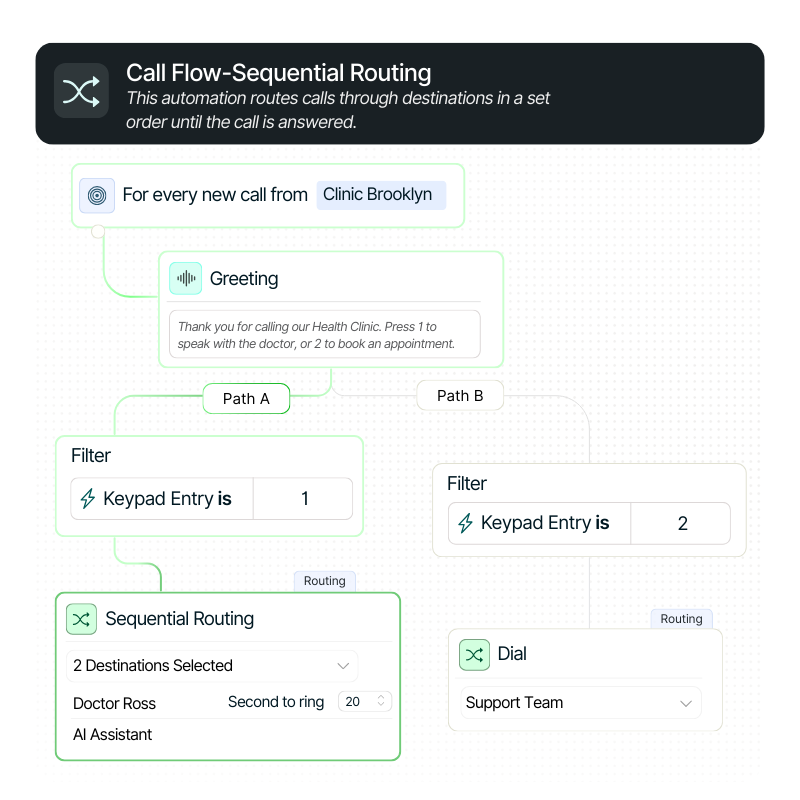
Sequential Routing
Ring destinations in a specific order until the call is answered. Ideal for on-call teams or fallback routing.
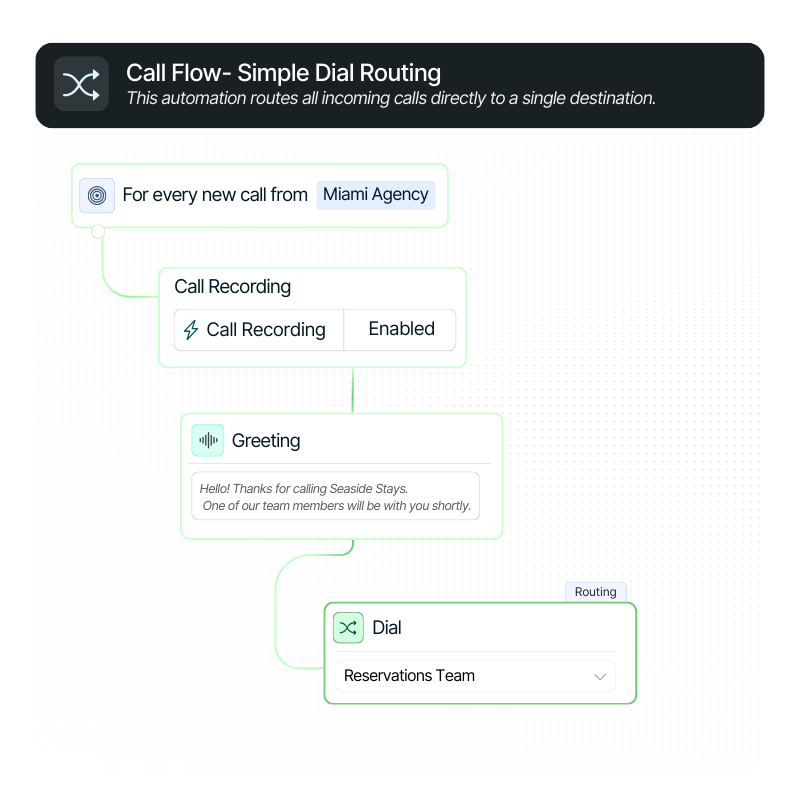
Simple Routing
Route all calls directly to a single phone number. The easiest setup for straightforward call handling.
Here's a little FAQ
Call Routing lets you control where inbound calls go based on rules you define, such as time of day, caller location, or destination. Using a visual call flow builder, you can route calls automatically without changing phone numbers or writing code.
Yes, you can use a single phone number to route calls to multiple teams, locations, or phone numbers. This makes it easy to manage complex setups while keeping your call experience simple for callers.
Absolutely, you can route calls differently during business hours, after hours, or on specific days of the week. This ensures callers always reach the right destination, even when availability changes.
Call Routing allows you to route calls based on the caller’s geographic location using caller ID prefixes. This helps connect callers to the nearest office or regional team for faster, more relevant service.

Book your 30-minute personalized demo
with the team!
We’ll actually show you the product and how it can work for you – not a slide deck!
Combine Nimbata call tracking features to create the solution
that matches how your team operates.

Tracking Numbers
Create tracking numbers for any channel or location

Call Flow Builder
Handle every call smarter - with automated call flows

Call Recordings
Capture every customer conversation automatically